How to Extract Domain Issuing Certificate from Internet Explorer
How to Extract Domain Issuing Certificate from Internet Explorer
Issue description
This guide applies to customers encountering "
Domain Controller Issuing Certificate has not been installed
" errors when using smartcard. In order for the device to validate that the Domain Controller is authorized to provide validation, the issuing Intermediate Authority Certificate of the Domain Controller needs to be loaded first.If you do not have this certificate, it can be extracted from
Internet Explorer
. The certificate needed by the device must be in Base64
format although the extension type of the file itself is irrelevant.Affected Products:
Solutions: Smart Common Access Card (SCAC), Public Key Infrastructure (PKI)
Steps to Extract/Export Certificates from Internet Explorer
- To extract certificates, go toInternet Options,Content Tab, and clickCertificates.
- SelectIntermediate Certificate Authority Tab.
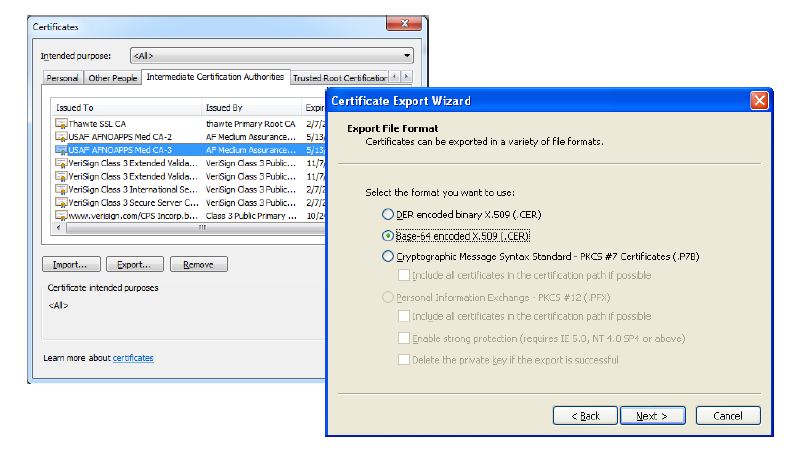
- Highlight the desired certificate and selectExport.
- Following the wizard, ensure to export the certificate inBase64format.
If the certificate is not correct, the multifunction printer will report what certificate is required during the first attempt at user authentication in the
SE logs
: see error prompt below.Contact Lexmark Technical Support
for assistance.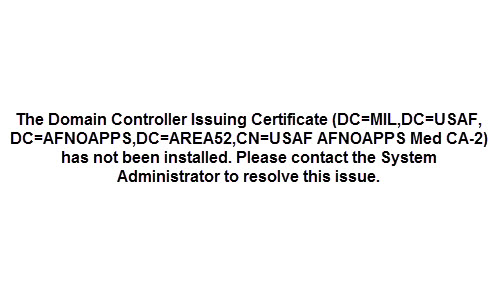
Steps to Install the Certificate on a Lexmark Device
- Open your preferredweb browser(e.g., Chrome, Firefox, Safari, Internet Explorer).
- In the address field, enter the printer’sIP addressto access itsEmbedded Web Server(EWS).
- ClickSettings,Security,Certificate Management, andCertificate Authority Management.
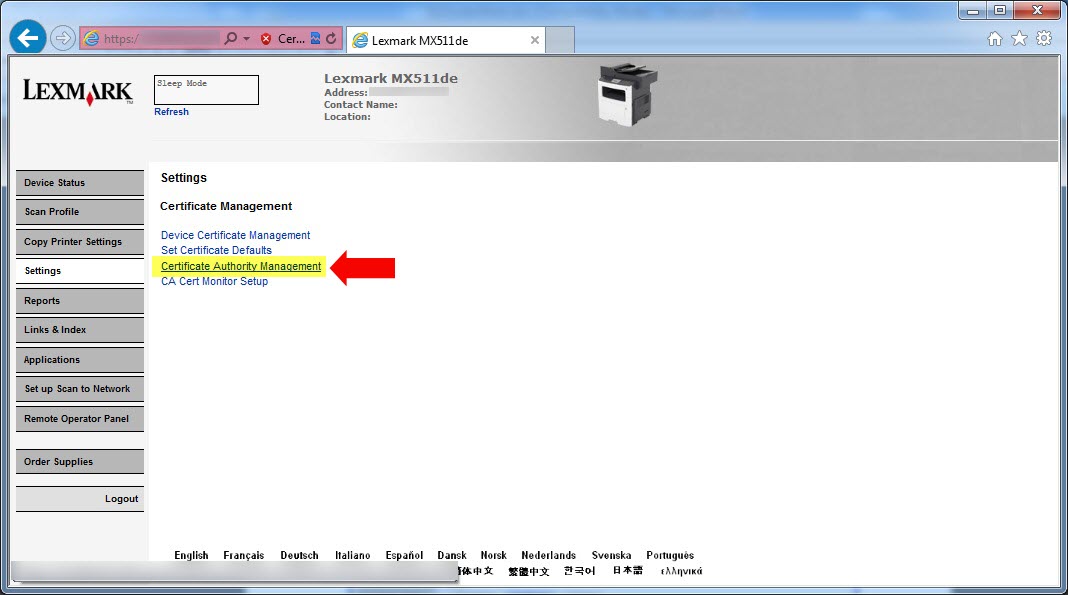
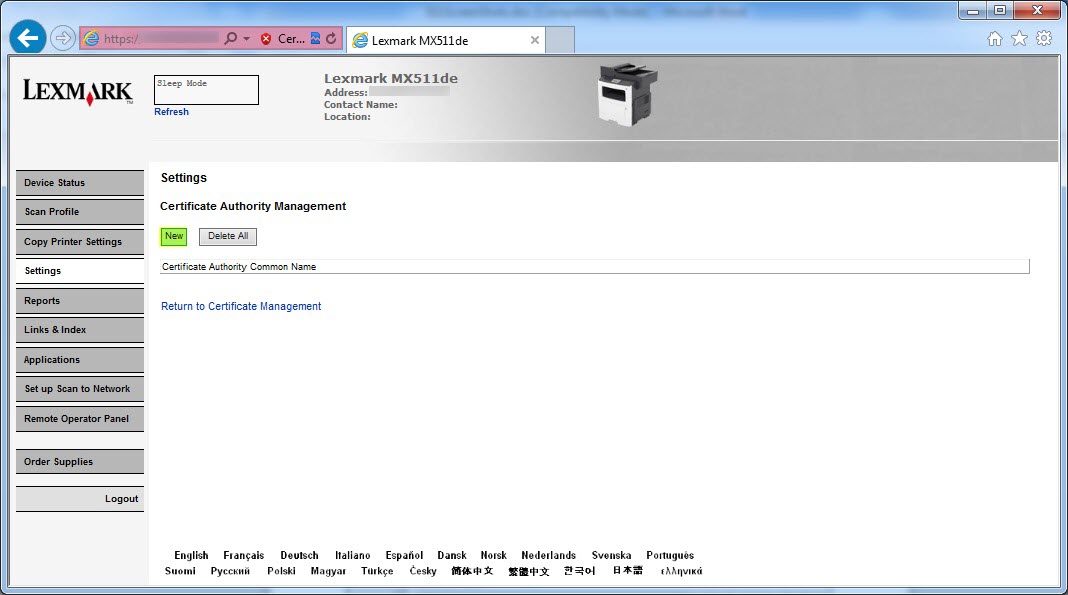
- ClickNewand then browse to the file containing the certificates to be installed on the device. ClickSubmit.
LEGACY ID:
HO4036