How to Create a Lexmark Printer Queue for CUPS Through a Web Browser
How to Create a Lexmark Printer Queue for CUPS Through a Web Browser
Overview
This article tells you how to download the Lexmark PPD, log into CUPS, create a printer queue, and modify queue settings on a Linux operating system.
Downloading the Lexmark PPD
how-to-install-the-lexmark-ppds-for-the-t64x-w840-.html#how-to-install-the-lexmark-ppds-for-the-t64x-w840-and-c920-printers_HO2444 for instructions on obtaining the latest Lexmark PPDs for your printer.
Log into CUPS
- Open aWeb browser(e.g., Konqueror or Mozilla).
- Enter the following URL to access the CUPS Administration page: http://localhost:631/admin.
- ClickContinue.
- When prompted for a user name, userootand the root password.NOTE:On SuSE systems, you will need to create an account withlppasswdand use this account instead ofroot.
Create a Printer Queue
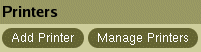
- After logging into CUPS, selectAdd Printer.
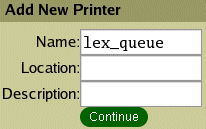
- Enter a queue name (e.g.,lex_queue) in theNamefield and clickContinue.
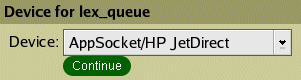
- SelectAppSocket/HP JetDirectas theDevicetype and clickContinue.
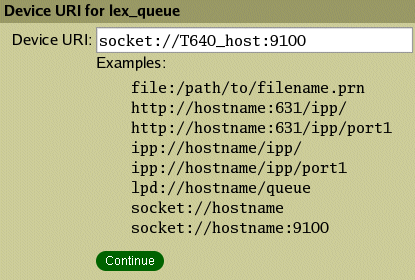
- Entersocket://printer_hostname:9100in theDevice URIfield and clickContinue.NOTE:Replaceprinter_hostnamewith the printer's host name or IP address.
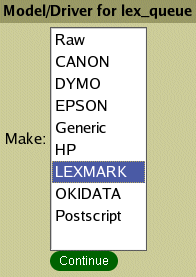
- SelectLexmarkfrom theMakelist and clickContinue.
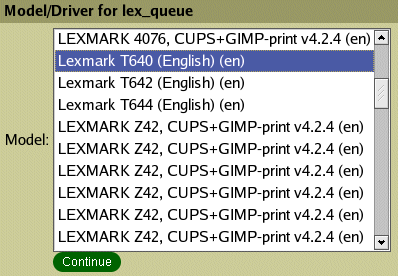
- Select your printer model from theModel/Driverlist and clickContinue. The printer queue will be created.
Modify Queue Options
- In a Web browser, enter http://localhost:631/printers/lex_queue.NOTE:Substitutelex_queuewith your printer queue name.
- Under the printer icon, selectConfigure Printer. The following options are configurable:
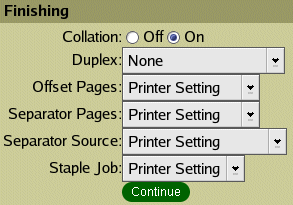
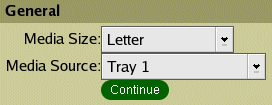
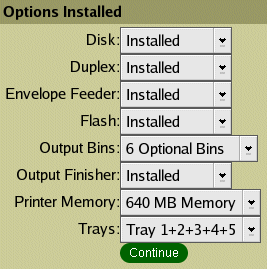
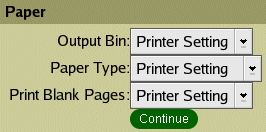
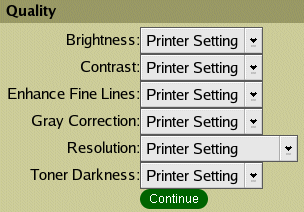
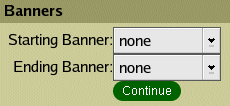
- Once you have made your change(s), clickContinueto save the new settings.
NOTE:
For instructions on creating a Lexmark printer queue for CUPS through a command line, how-to-create-a-lexmark-printer-queue-for-cups-thr.html#how-to-create-a-lexmark-printer-queue-for-cups-through-a-command-line_HO2474.Still Need Help?
If you are having difficulties creating a queue in CUPS, please contact the
Lexmark Technical Support
Center at 800-LEXMARK for additional support. NOTE:
Customers outside the US should click here to visit our support Web site in order to obtain the contact number
for their region.LEGACY ID:
HO2475