C73x&X73x ? Print Defects Guide
Defect Symptom
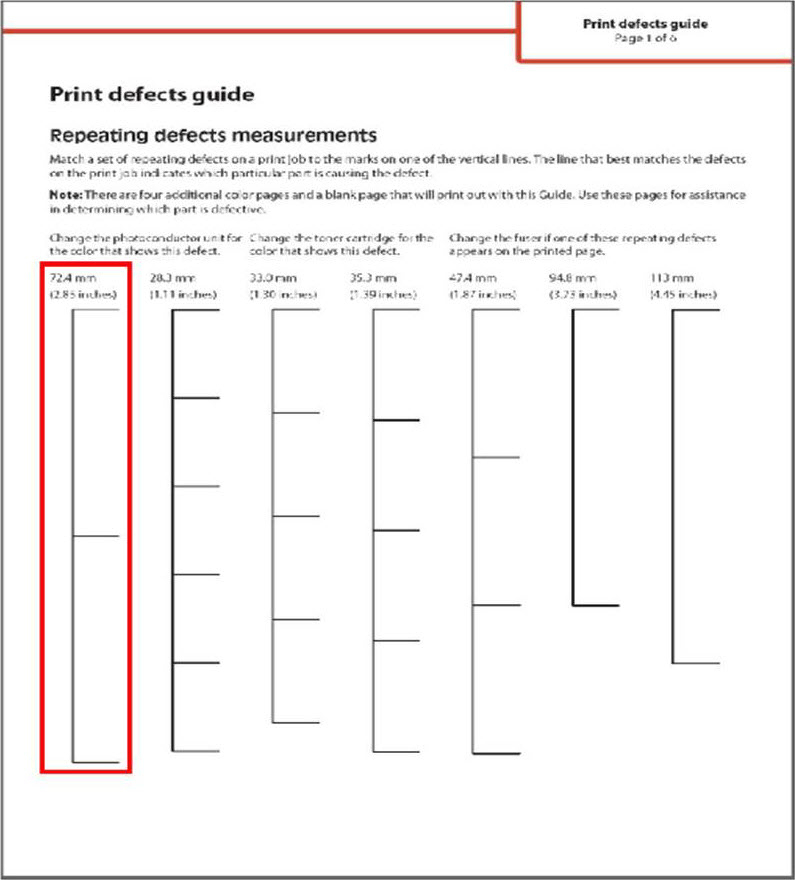
See the image below for what a
Print defects guide
looks like.
 |
Click Image to Enlarge
|
Troubleshooting
- Perform the"Color Adjust"procedure in the "Quality" menu.
- Print thePrint defects guide, which is available from your printer's help menu, for help in determining the printer part or supply item that is causing a repetitive defect.
- Replace the appropriate supply item, or contactLexmark Technical Supportfor further assistance.
Contacting Lexmark
Please contact
Lexmark Technical Support
if you need additional assistance.
NOTE:
When calling for support, you will be asked for your machine/model type
and serial number
(SN
). If you need help locating your printer's model type
and serial number
(SN
), how-to-locate-the-serial-number-tli-config-id-and-.html#how-to-locate-the-serial-number-tli-config-id-and-machine-type-on_SO4862.
Please call from near the printer in case the technician on the phone asks you to perform a troubleshooting task on the printer.
LEGACY ID:
SO6632