292.xx, 296.xx, 843.xx, 844.xx, and 845.xx error codes
292.xx, 296.xx, 843.xx, 844.xx, and 845.xx Error Codes for Lexmark X73x and X74x
Issue description
When using the
Auto Document Feeder
(ADF
) to scan or copy, the printer will post the following error codes:- 292.xx Paper Jam
- 296.xx Scanner Locked
- 843.xx Scanner Failure
- 844.xx Scanner Error
- 845.xx Scanner Failure
The right-hand digits (
.xx
) of the error code (where 'x
' can be any number) normally accompany this message.Solution
Steps | Actions |
|---|---|
1 | Clear the error by powering off the printer. Wait ten to 20 seconds before powering it back on. Run a test scan and see whether the error reappears. If the error did not reappear after a couple of test scans, continue using the machine but observe its operation for a week. Should no further sign of the error develop, it was probably a temporary glitch, and restarting the machine cleared it. |
2 | If the error re-appears, power off the printer and remove all documents from the ADF . |
3 | Check for any jammed media in the ADF and Scanner Cover . Remove any jammed sheets you find. |
4 | Confirm that the mechanical lock on the flatbed scanner is in the 'unlocked ' position. See red outline in the image below.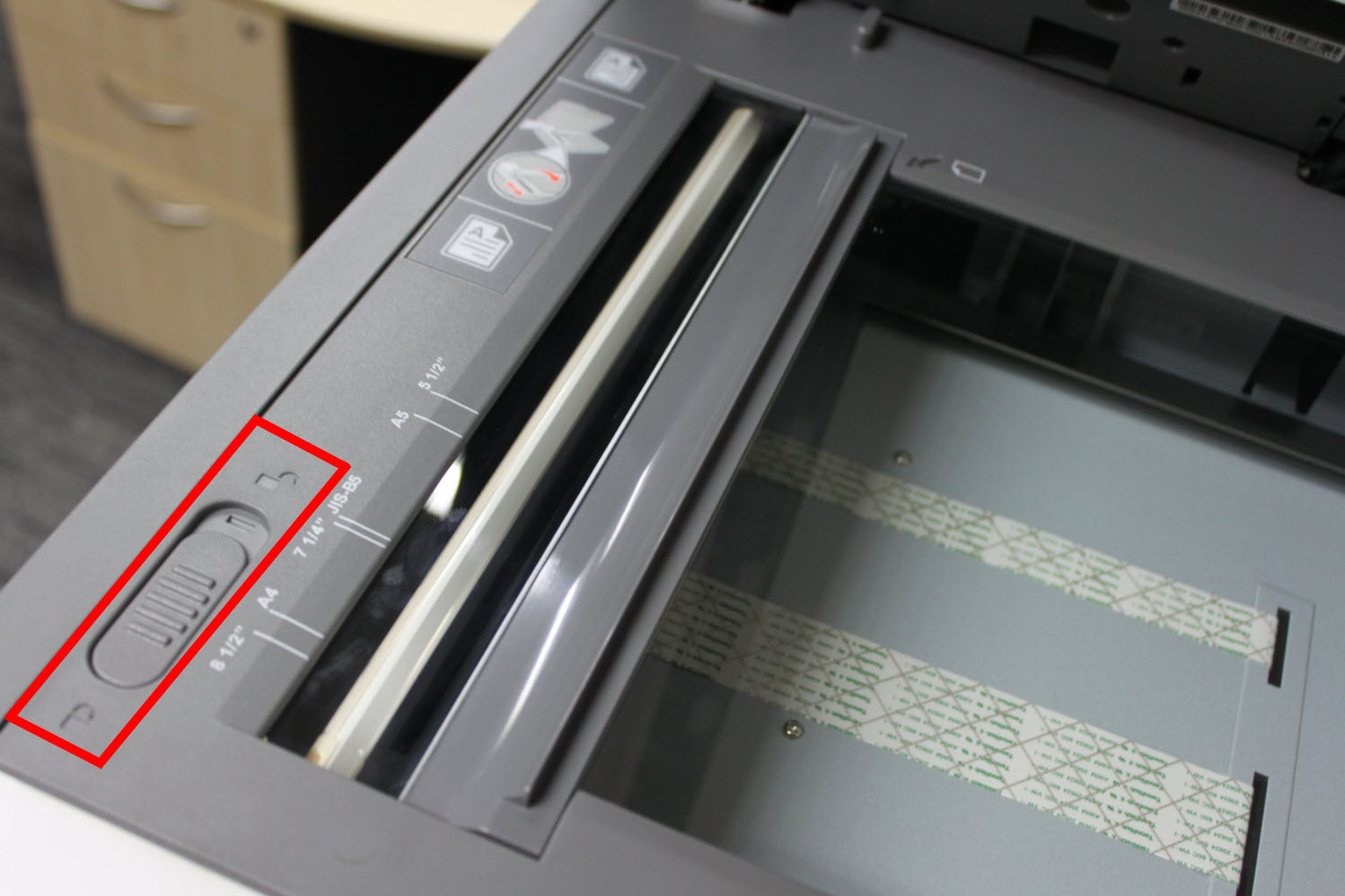 |
5 | Should the issue persist, please contact Lexmark Technical Support or a local authorized service provider for additional assistance. |
LEGACY ID:
TE646