Apple's AirPrint compatibility with the Lexmark printers
Apple's AirPrint Compatibility with the Lexmark Printers
**Announcement**
Affected Products:
Apple AirPrint *
support is now available for the following Lexmark 2011 products.- Lexmark C792 Color Laser
- Lexmark X792 Color MFP
- Lexmark X548 Color MFP
- Lexmark X954 Color MFP
- Lexmark CX, MX, CS, MS Black and White MFP
*
AirPrint and the AirPrint Logo are trademarks of Apple Inc.What is Needed:
If you find that your printer is not equipped with this ability by default, you may need to check your firmware levels and update firmware as necessary.
The latest printer code levels are required to utilize AirPrint.
Firmware Availability:
If you need additional information about how to identify firmware revisions, please see your printer's administrator guide or visit the Lexmark support site.
Disabling AirPrint:
If you wish to have AirPrint disabled, you can disable
Internet Printing Protocol
(IPP
)or multicast DNS
(mDNS
), which AirPrint relies on.IMPORTANT:
Perform this action only if IPP and mDNS are not needed since this will prevent IPP printing and printer discovery using Apple's Bonjour™.To do this from the printer home screen:
Method for disabling mDNS on the printer home screen:
- Press the "Menus" button.
- Press the "Network/Ports" menu.
- Press the “Standard Network” menu.
- Press the “STD Net Setup” menu
- Press the "TCP/IP" menu.
- Scroll down and Press the "Enable mDNS" menu.
- Change setting to “NO”.
- ClickSubmit.
- Press the Home button to return.
To do this from the printer's embedded web server (
EWS
):- Enter the printer's IP Address into the web address field (URL); e.g., http://printer_IP_Address, where IP_Address is theTCP/IP addressof your printer.
- Click on the "Settings". (This is located in the left-pane of the device's webpage.)
- Click the "Security" link.
- Click the "TCP/IP Port Access" link.
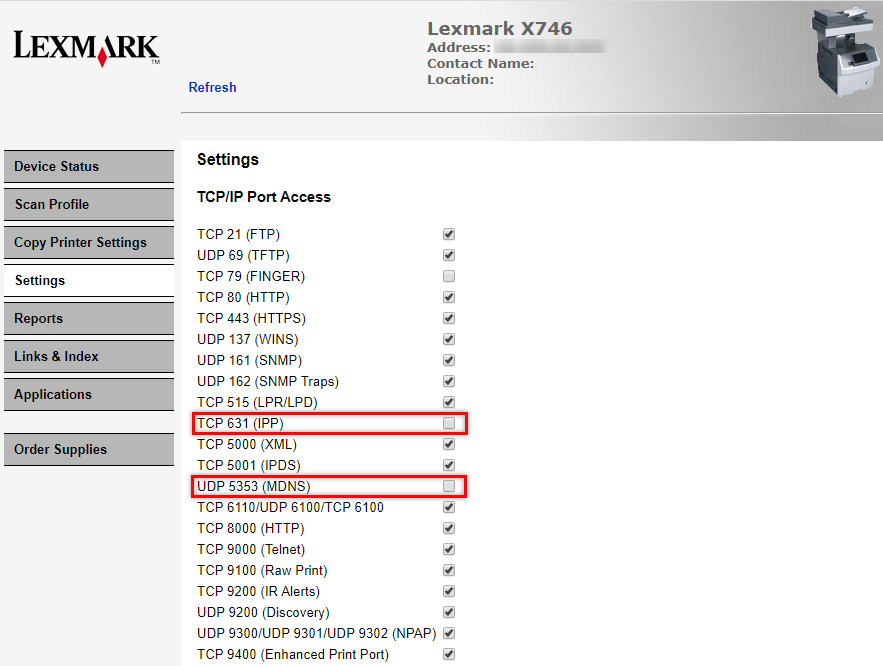
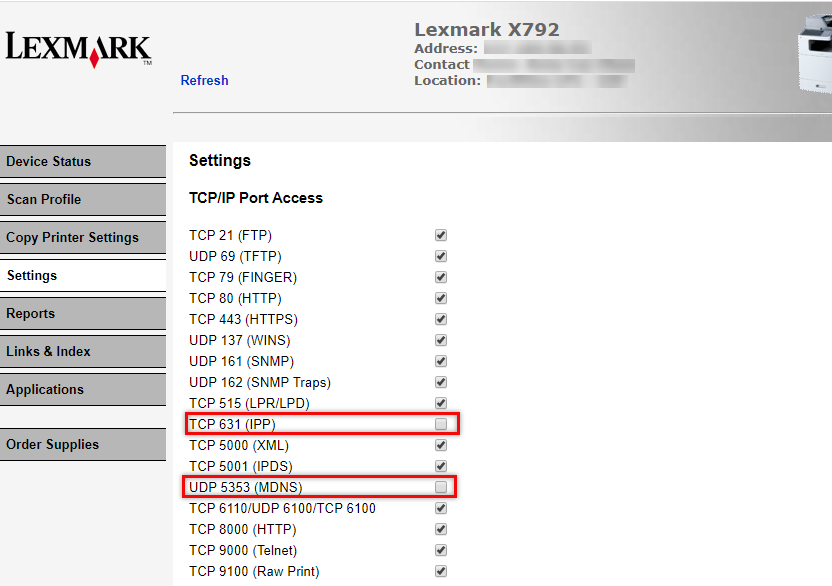
- UncheckmDNS (Port 5353)and/orIPP (Port 631).
- ClickSubmit.
Alternative EWS method for disabling mDNS:
- Click on "Settings".
- Click on "Network/Ports".
- Click on "TCP/IP".
- Uncheck the "Enable mDNS" setting.
- ClickSubmit/Apply.
Additional Information:
Various older models with older network interface cards may display AirPrint as "
Active
" after following the procedures outlined in this document. The inability to display AirPrint as disabled on the older models has been identified to be an older NIC firmware bug
. This issue has been fixed on the newer Lexmark devices
.Note:
Older Lexmark devices will unfortunately not receive this fix.
However, Lexmark certifies
AirPrint as disabled
as outlined in this document. Models affected in the report error may include the Lexmark X65x
, X73x
, X74x
, X792
, X954s
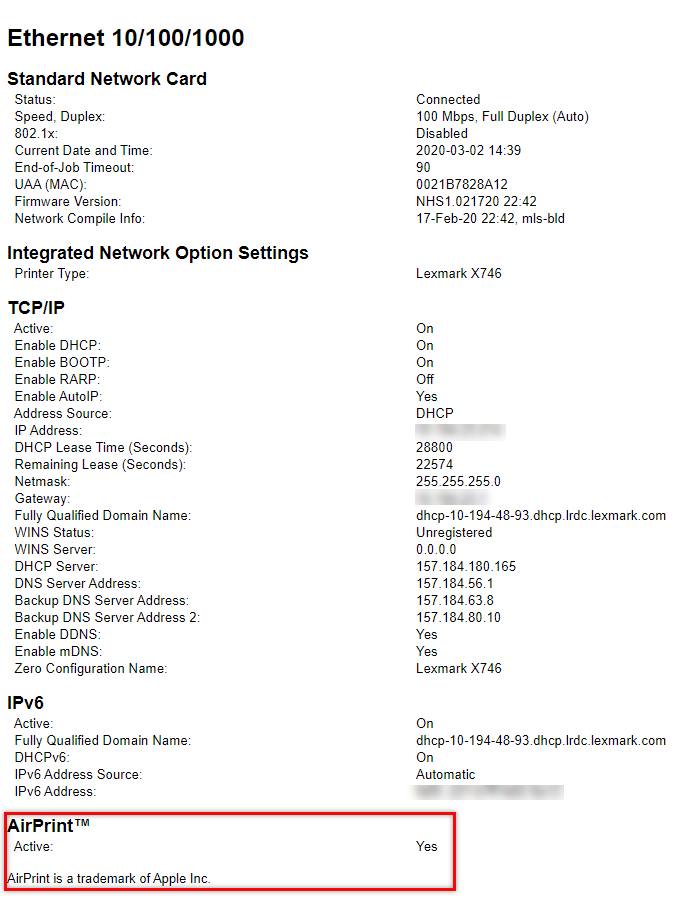
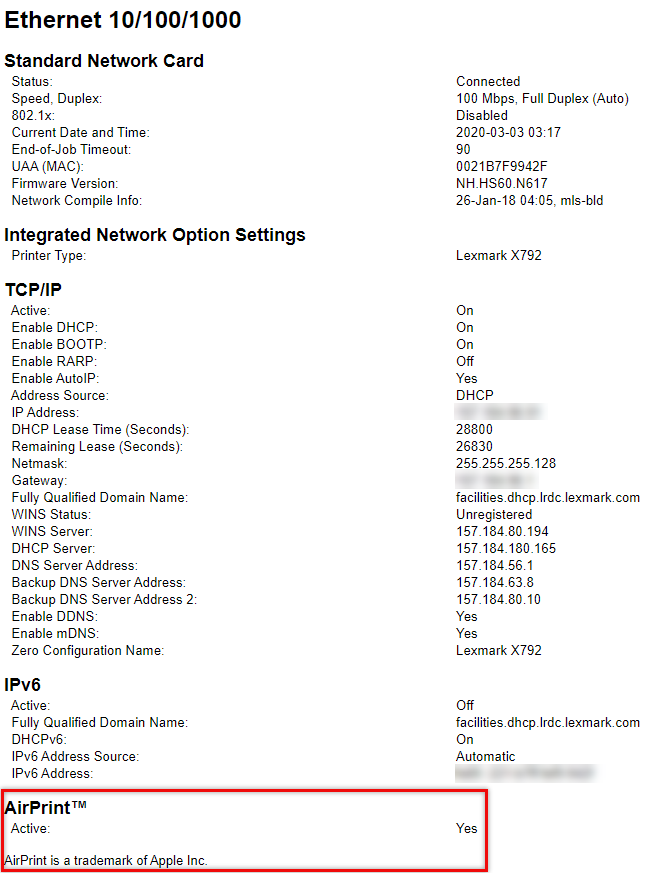
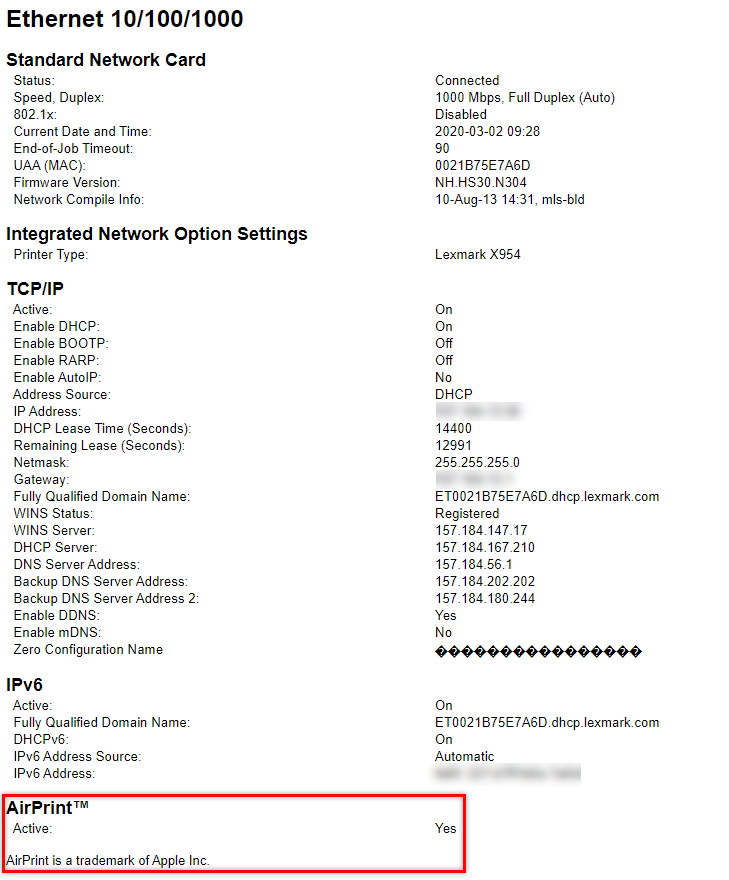
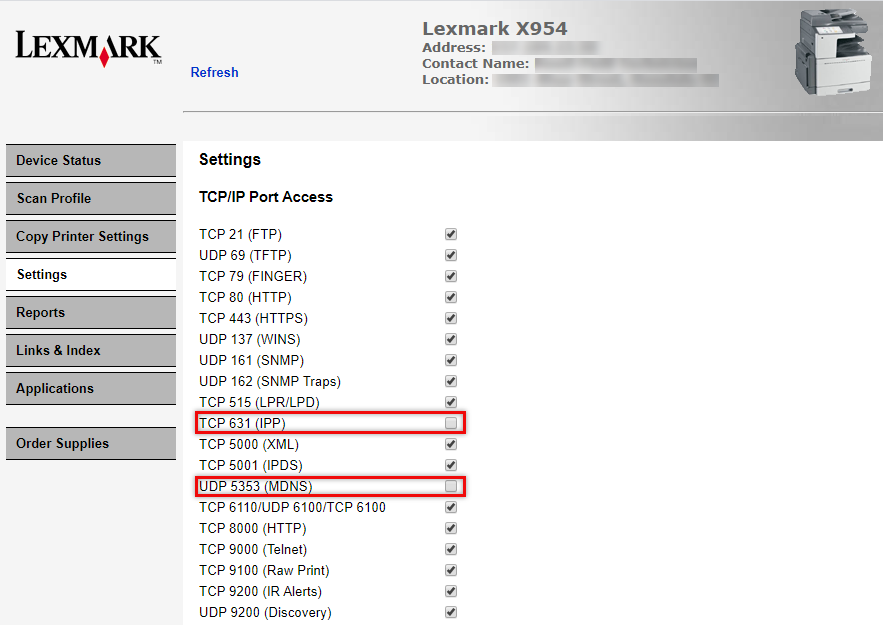
.Below are some sample images of the settings and se menu from the Lexmark X746, X792 and X954 printer models.
REMINDER:
As noted on the previous statement, If AirPrint
shows "Active"
under Lexmark printer's SE page and the TCP 631 (IPP)
and UDP 5353 (MDNS)
are unchecked
then this certifies that AirPrint is disabled
.Lexmark X746
SE Page | Embedded Web Server (EWS) Settings Page |
 |  |
Lexmark X792
SE Page | Embedded Web Server (EWS) Settings Page |
 |  |
Lexmark X954
SE Page | Embedded Web Server (EWS) Settings Page |
 |  |
Still Need Help?
Note:
Click hereHave the following available when calling Lexmark Technical Support;
- Printer model(s)
- Printer serial number
LEGACY ID:
FA841