Lexmark C925/X925 ? Color Alignment Issue with One or Multiple Colors
Lexmark C925/X925 ? Color Alignment Issue with One or Multiple Colors
What you will see
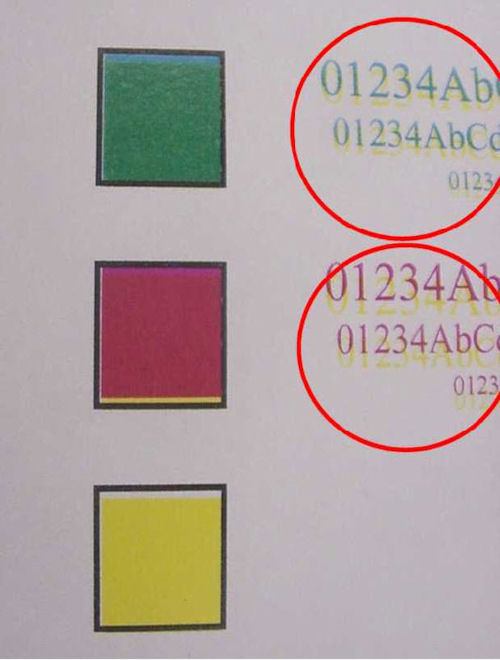
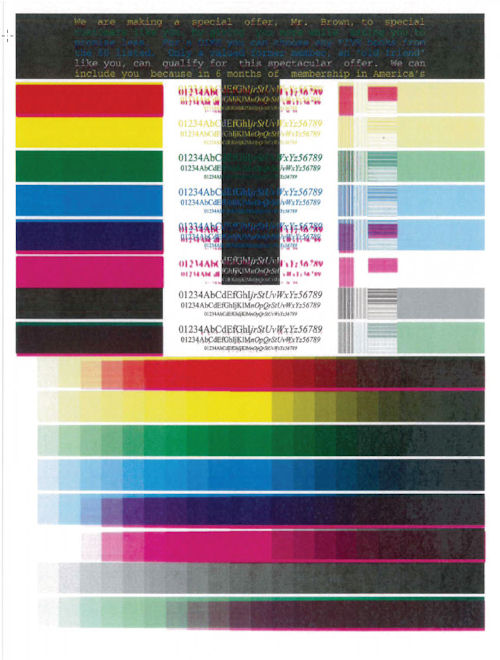
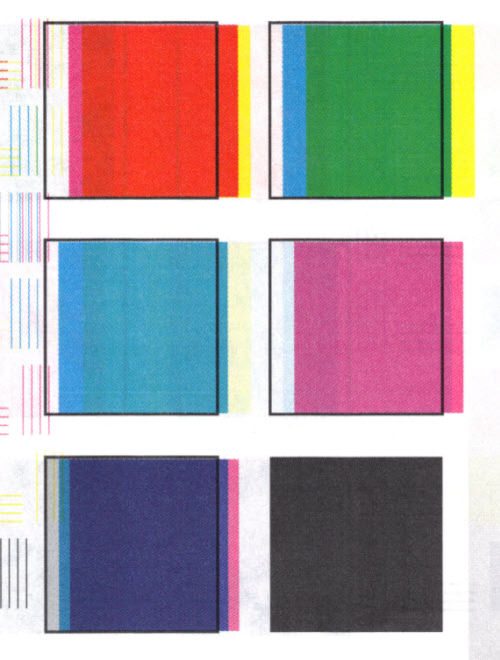
One or more of the color planes on an image is not aligned to Black or the other color planes. See the sample images below:
 |  |  |
Click the Images to Enlarge
|
Possible cause
The issue is often times seen whenever the printer is running low on supplies. For cases in which the printer still has sufficient toner, it is possible that the “
Auto color calibration
” is not running.
NOTE:
The Lexmark C925 and X925 models is NOT
designed to perform “Auto color calibration
” every time the front door is opened or the printer is restarted.Diagnosis
Step
| Action
|
1
| Verify which color is not aligned or is not printing correctly. To do this, print the Device Statistics page of the printer:
|
2
| Check the 2nd page of the Device Statistics and look for the bar graph that shows the content status of individual colors. Identify the colors not aligned and see in the graph whether the toner level is already low.
|
3
| Reseat the imaging units and toner cartridges and restart the printer. Perform Steps 1 and 2 and see whether the issue is resolved. If the issue persists, contact Lexmark Technical Support. |

Still need help?
Please contact Lexmark Technical Support if you need additional assistance.
NOTE:
When calling for support, you will be asked for your machine/model type
and serial number
(SN). If you need help locating these, Please call from near the printer in case the technician on the phone asks you to perform a task involving the printer.
LEGACY ID:
SO6841