900.80 Scan Manager error appears when trying to Copy
900.80 Scan Manager Error Appears when Trying to Copy Just After the Multifunction Printer Comes Out of Power Saver Mode for Lexmark X65x&X79x
Issue description
When attempting to copy after the multifunction printer comes out of power saver mode; the Operator panel goes white with three dots flashing across it and the machine will not scan. After sitting for several seconds, the Operator panel displays a blue screen and gives a
900.80 Scan Manager Error
.Solution
A malfunctioning scan sensor or broken connector on the
Scanner Interface Card
usually causes this error. To identify whether the error is caused by a malfunctioning scan sensor, follow the steps below:Step | Action |
|---|---|
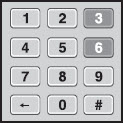
1 | Access the printer’s Diagnostic Menu .
 |
2 | When the Diagnostic menu comes up, hit the down arrow until you see Scanner Tests .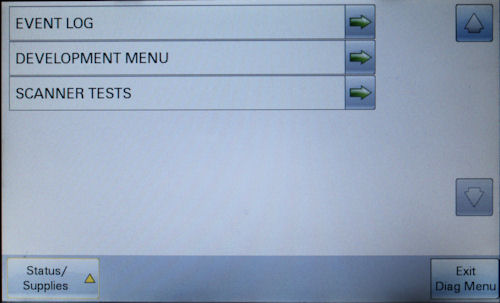 |
3 | Touch the Scanner Tests , then the Sensor Tests .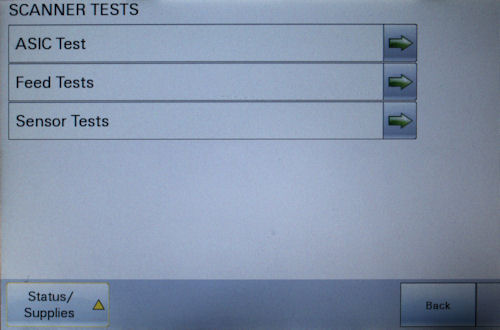 |
4 | The screen should display a list of sensors available. Look for Sensor (ADF 2nd scan) .By default, the value next to it should be zero (0) .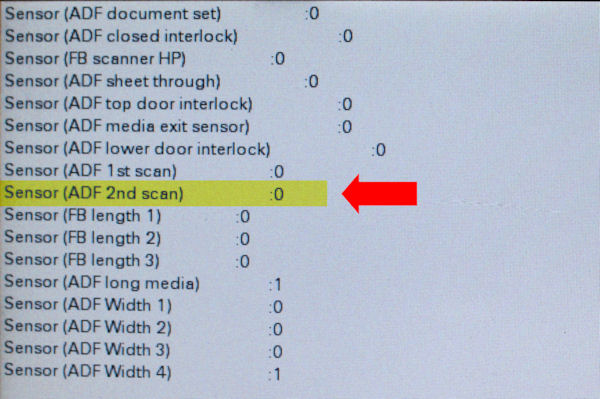 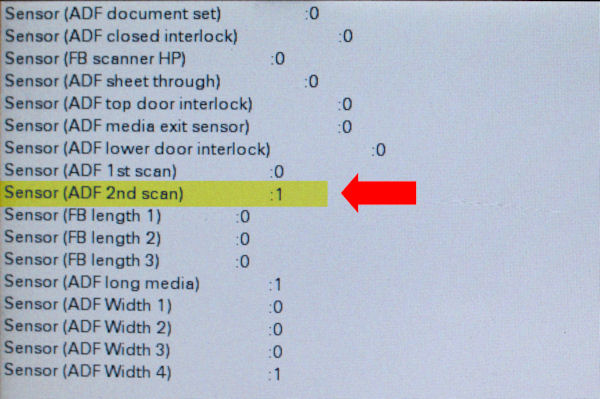 |
5 | Lift the scanner up and push gently on the ADF 2nd Scan Sensor flag . See its location on Figure 5a .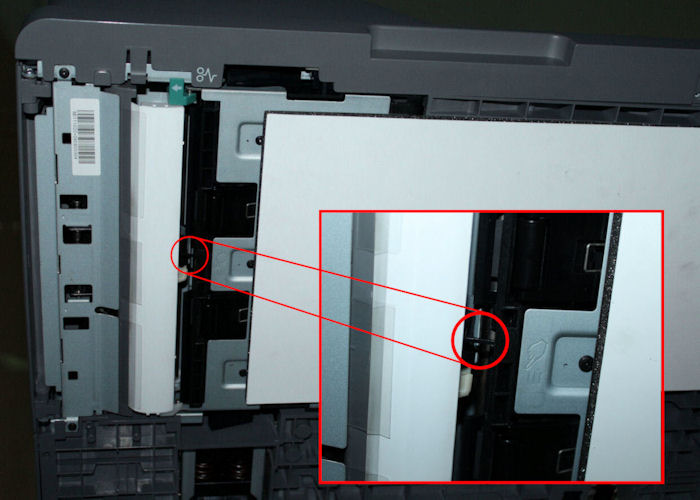 While pushing the flag, the value of Sensor (ADF 2nd scan) should change to one (1) . See Figure 5b . |
6 | If the value does NOT change or should the error persist even if the value of the Sensor (ADF 2nd scan) changes, contact Lexmark Technical Support to set up service for the printer. |
Service action
Verify if the user was able to perform the steps presented in the customer-level section of this document. If not, complete first the procedure to identify whether the
ADF 2nd scan Sensor
is working properly. Replace the ADF 2nd Scan Sensor
if found failing (P/N – 40X2762)
.If the
ADF 2nd Scan Sensor
works properly, proceed to check the connector of Scanner Interface Card
.Step | Action |
|---|---|
1 | Remove the four screws on the scanner's back and pop the rear cover off. 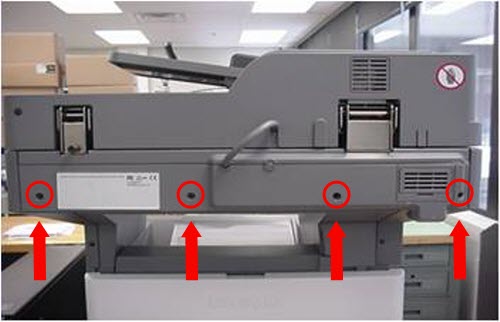 |
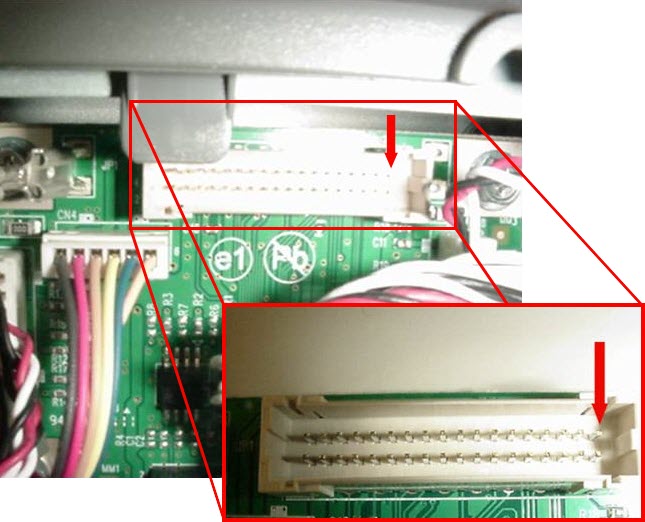
2 | Pull the cable J1 from the Scanner Interface Card and check to see if Pin 35 (top-right pin of the connector) is bent or broken.Pin 35 is the reset pin which allows the scanner to reset itself when coming out of Power Saver mode. If the pin is broken, replace theScanner Interface Card .
 |
3 | Should the issue persist or if there is no damage to the connector pins, consult your next level of support or escalate the issue to Lexmark 3rd Level Support. |
LEGACY ID:
TE454