Toner smear or blurred print
Print Quality Tool: Toner Smear or Blurred Print for T65x and X65x
Issue description
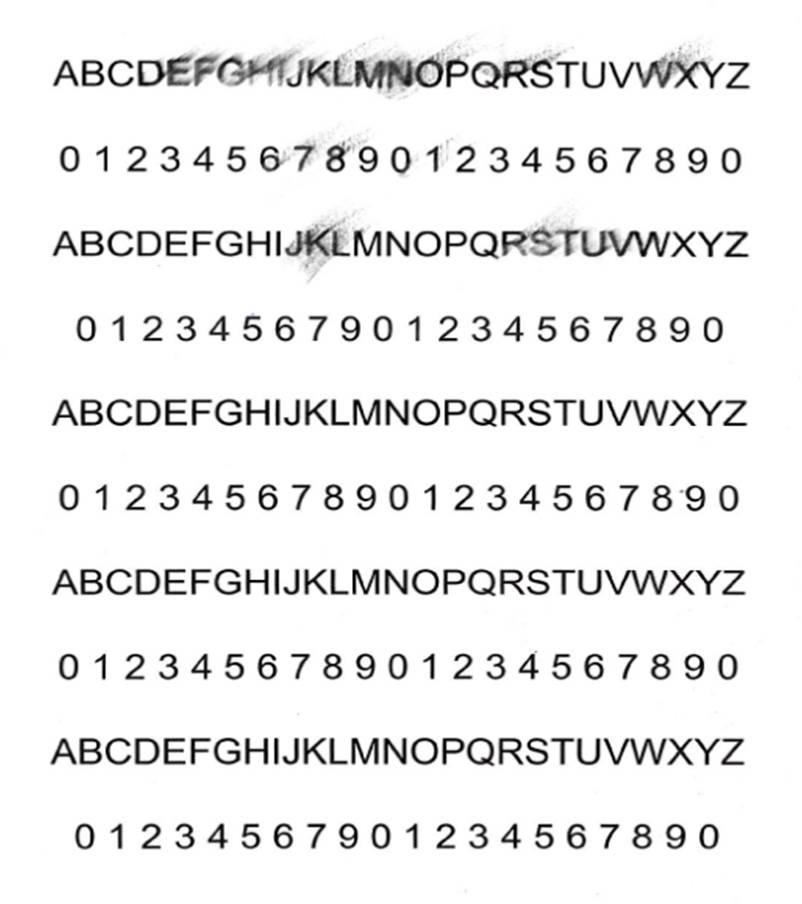 |
Sample printout
|
Smeared toner can be of two types:
- Unfused Toneris not completely fused to the paper and continues to smear on the page after exiting the printer.
- Fused Toneris smeared in the printer prior to fusing. The image is smeared but does not smear further when rubbed.
Recommended troubleshooting
If
Unfused Toner
continues to smear:- Incorrectmedia settingsmay cause insufficient fusing, especially when printing on heavy media like card stock. Confirm media settings match themedia typeandweight/texturesetting.
- Verify thefuseris installed properly and is within its rated life. Replace thefuserif necessary.
- If smearing persists, please contactLexmark Technical Support.
If
Fused Toner
is smeared before fusing, but does not smear after printing:- When being printed, the paper is rubbing against an internal component. Check for obstructions in the paper path between the cartridge and fuser. Check also the static brush near the fuser.
- Damppapercan curl in the printer and rub on internal components. Try printing on recommended media that is dry and fresh from a new ream.
- Try printing with a differentCartridgeif one is available.
- If smearing persists, please contactLexmark Technical Support.
Contacting Lexmark
If you require additional assistance, please close this window and locate
Get In Touch with Lexmark!
for contact information.
NOTE:
When calling for support, you will need your printer model
/machine type
and serial number
(SN
), as well as the cartridge part number
and serial number
. Should you need help locating thesePlease be near the products described in this article to expedite the support process and reduce callbacks.
LEGACY ID:
SO6503