Paper damage or wrinkle
Print Quality Tool: Media Damage or Wrinkles for T65x and X65x
Issue description
Damp media often causes wrinkles. After paper is exposed to hot humid conditions, for example 78 degrees F and 80% humidity, the paper absorbs the moisture and wrinkles more easily.
Also, paper that has been printed before is more likely to wrinkle and jam in the printer.
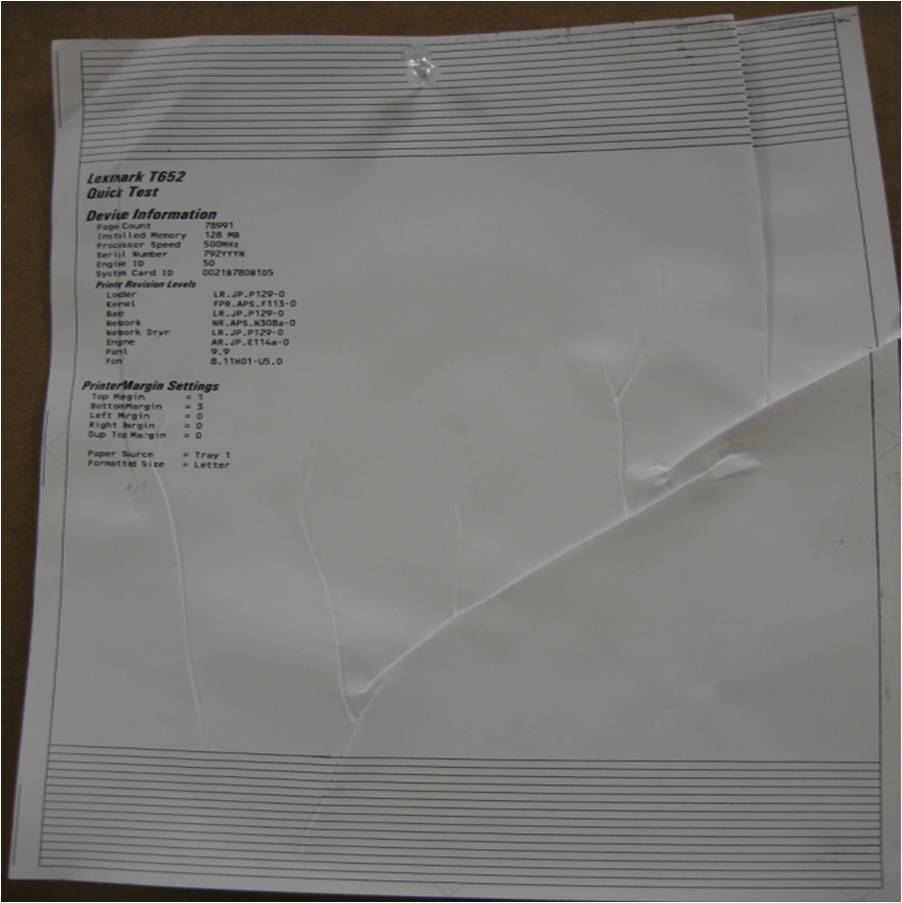 |
Sample printout
|
Recommended troubleshooting
- Check the printer installation. Verify the printer is on a flat, even surface.
- Toner may build up and harden in the paper path between the cartridge and fuser. Remove the cartridge and clean its bottom surfaces. Replace the fuser if necessary.
- Clear the paper path of any media, staples, debris, or obstructions.
- Try printing on recommended media that is dry and fresh from a new ream.
- Properly load the media into the tray. All the guides must be snug, but not overly tight.
- Make sure all doors and access panels are completely closed.
- Check paper pick tires and guide wheels for contamination or excessive wear.
- If defect persists, contactLexmark Technical Supportto set up service for the printer
Contacting Lexmark
If you require additional assistance, please close this window and locate x
Get In Touch with Lexmark!
for contact information.
NOTE:
When calling for support, you will need your printer model
/machine type
and serial number
(SN
), as well as the cartridge part number
and serial number
. If you need help locating thesePlease be near the products described in this article to expedite the support process and reduce callbacks.
LEGACY ID:
SO6583