Vertical lines, streaks or bands
Print Quality Tool: Vertical Lines, Streaks, Stripes, or Bands for T65x and X65x
Issue description
Vertical lines, steaks, stripes, or bands from the top of the page to the bottom of the page in Portrait Orientation. See samples below. The lines, streaks, or bands may be light against a dark background or dark against a light background.
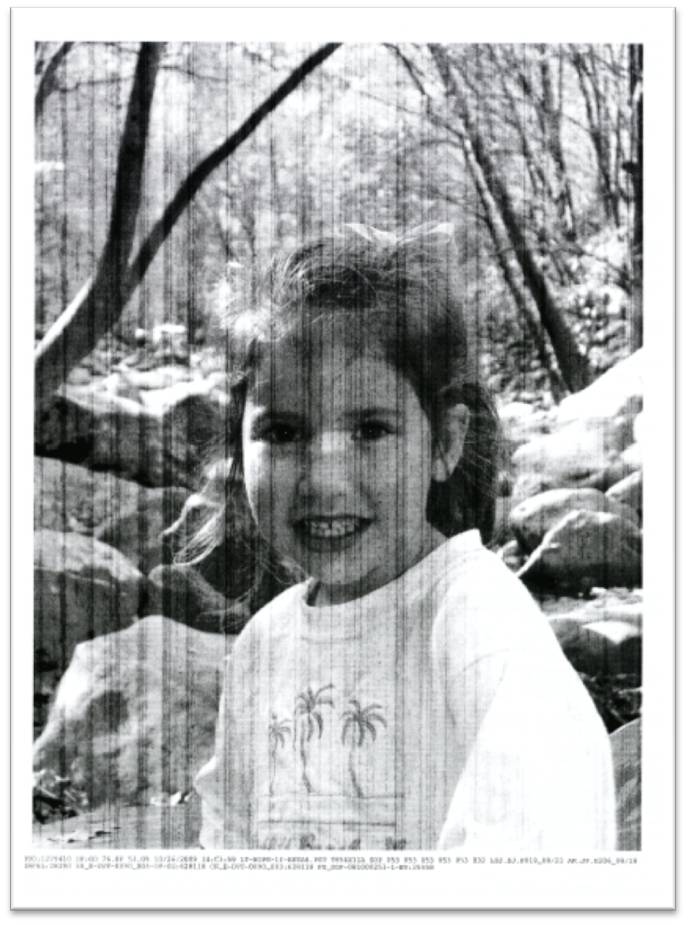 | 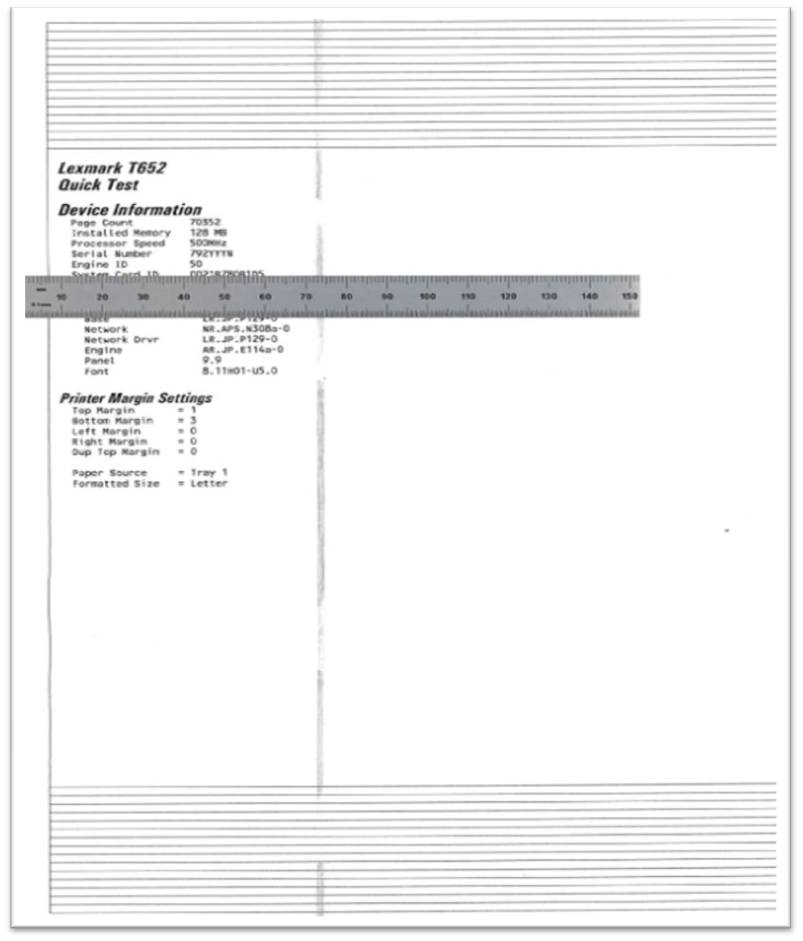 |  |  |
Sample printouts
|
Recommended troubleshooting
- Try printing on recommended media that is dry and fresh out of a ream.
- Check thecartridgetoner level. Replace the cartridge if the toner is low.
- Check that no obstructions black thelaser pathabove the cartridge.
- Try printing with adifferent cartridge. Replace the cartridge if necessary.
- Check thetransfer rollassembly for contamination or wear. Wipe toner and paper dust from the area under the transfer roll. Replace the transfer roll if needed.
- Check thecharge rollassembly by removing the cartridge and lowering the front door halfway. Two small rolls will drop from the top of the printer. If lines on the charge roll correspond to lines on printed pages, replace the charge roll assembly.
- Check the metal cartridgeelectrical contacts. Click here to see contact locations. If any contacts are bent, dirty, or contaminated, please contactLexmark Technical Supportto set up service for this printer.
- If printout has only one vertical band down the page, measure the distance of the band from the edge of the paper. Should the distance be approximately 72mm (2.835 inches), replace theFuser.
- Afirmware updatemay improve print quality on a limited number of printers. t65xx65x-print-quality-tool-very-light-vertical-st.html#t65xx65x-print-quality-tool-very-light-vertical-stripes-in-background_SO6864 for more information.
- If vertical lines, streaks, or bands persist, please contactLexmark Technical Support.
Contacting Lexmark
for contact information.
NOTE:
When calling for support, you will need your printer model
/machine type
and serial number
(SN
), as well as the cartridge part number
and serial number
. If you need help locating these, Please be near the products described in this article to expedite the support process and reduce callbacks.
.
LEGACY ID:
SO6500