Horizontal lines, stripes, streaks, or bands
Print Quality Tool: Horizontal Lines, Stripes, Streaks, or Bands for T65x and X65x
Issue description
This defect often repeats dark stripes, side-to-side in direction, down the page.
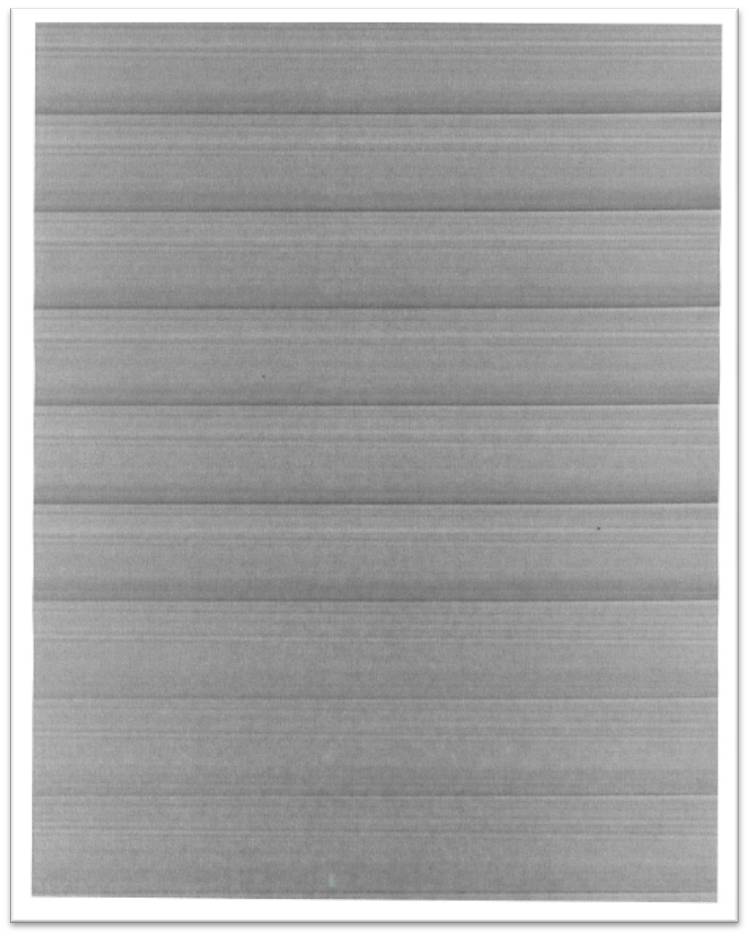 |
Sample printout
|
Recommended troubleshooting
- Try printing on recommended media that is dry and fresh out of a ream.
- Try printing with a different cartridge if one is available.
- If the printer or cartridge is exposed to bright light, relocate the printer.
- Print the “Repeating defects measurements” page from the printer menuMenu>Help>Print Defects. Use this guide with your print sample to determine if thecharge roll,transfer roll,fuserorcartridgeneeds to be replaced.
- Check thetransfer rollassembly for contamination and wear. Replace the transfer roll if needed.
- Should the defect persist, contactLexmark Technical Supportto set up service for the printer.
Contacting Lexmark
If you require additional assistance, please close this window and locate 
Get In Touch with Lexmark!
for contact information.
NOTE:
When calling for support, you will need your printer model
/machine type
and serial number
(SN
), as well as the cartridge part number
and serial number
.Please be near the products described in this article to expedite the support process and reduce callbacks.
LEGACY ID:
SO6674