Overflowing waste toner bottle
Lexmark C73x, C74x, X73x, and X74x ? Overflowing Waste Toner Bottle
Overview
The Waste Toner Bottle/Box (
WTB
) stores the excess toner generated when printing. If the WTB
is not fully latched into the printer, however, the printer will not be able to detect when the WTB
is full. This leads to significant waste toner overflow inside the printer, its options, and even onto the table where the printer is situated.This document guides you how to properly handle and dispose of a full waste toner bottle (to avoid a mess) and how to correctly install a new bottle into the printer to prevent possible toner overflow.
Replacing the waste toner bottle/box
Step | Action | Click Image to Enlarge |
1 | Remove the new waste toner box from the packaging to prepare for install. | 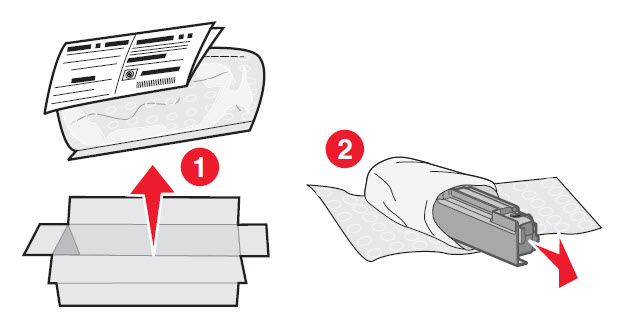 |
2 | Press the release button to the left (1)) and swing the front of the waste toner assembly away from the printer and remove (2) . | 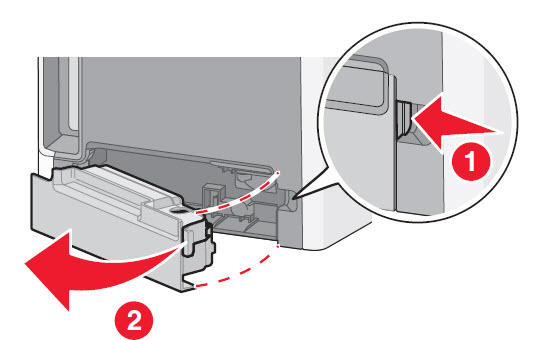 |
3 | Peel the seal from the side of the full waste toner box (1) , and then place it over the hole to seal off the waste toner box (2) . | 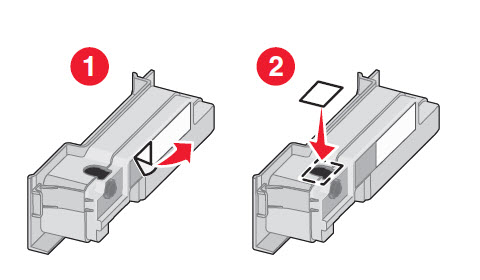 |
4 | Place the sealed waste toner box in the recycling bag. Place the bag into the shipping box you just removed the replacement part from. | 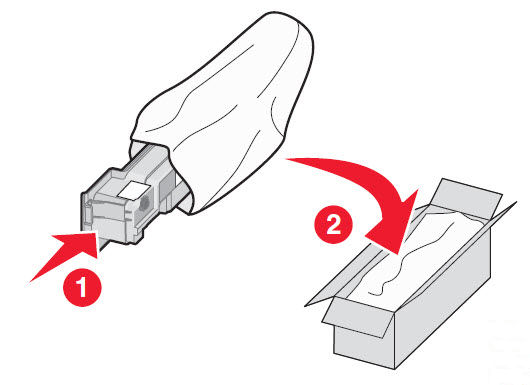 |
5 | Peel the recycling label off, and place it on the shipping box. | 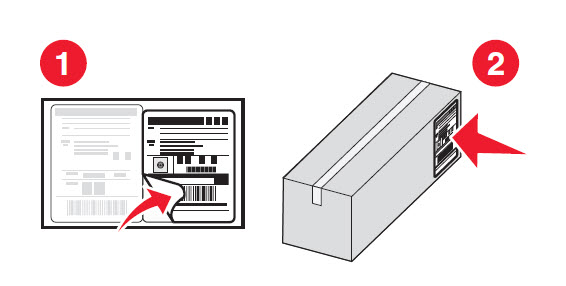 |
6 | Insert the new waste toner box into the printer. Proceed to the next section of this document below to verify the proper installation of WTB. | 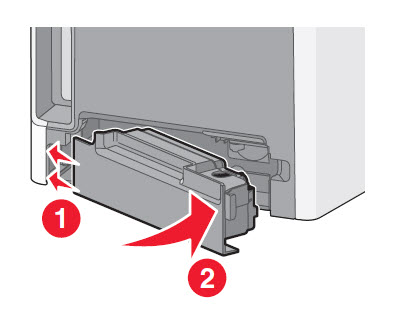 |
How to verify proper installation of waste toner bottle/box
Step | Action | Click Image to Enlarge |
1 | Press WTB until its outside surface is flush or even with the printer cover (see Figure 1 ). This indicates proper installation of the WTB .If the WTB cannot be depressed to be flush with the printer cover, or if the WTB does not spring back slightly when released as shown in Figure 2 , continue with the next step. | 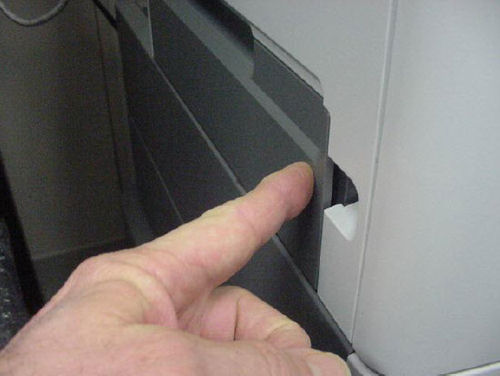 Figure 1a 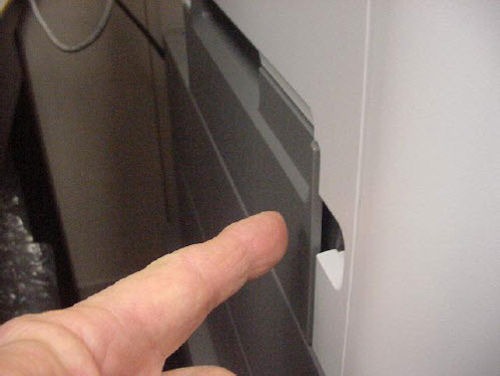 Figure 1b |
2 | Open and close the printer front cover to allow the printer to start a cycle. After the printer stops, repeat Step 1 . | No image |
Still need help?
Please contact Lexmark Technical Support if you need additional assistance.
NOTE:
When calling for support, you will be asked for your machine/model type
and serial number
(SN).Please call from near the printer in case the technician on the phone asks you to perform a task involving the printer.
LEGACY ID:
TE448