Lexmark C74x&X74x ? Paper Is Coming Out Wrinkled (Milky or Treeing)
What you will see
The printed image has a milky or running appearance on the paper. This print quality defect is also known as "treeing". See examples below:
Click Images to Enlarge
| |
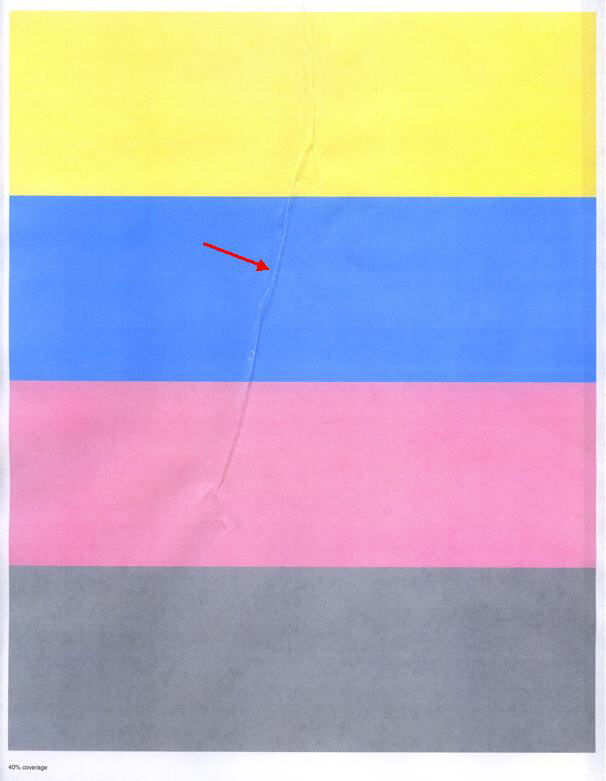 | 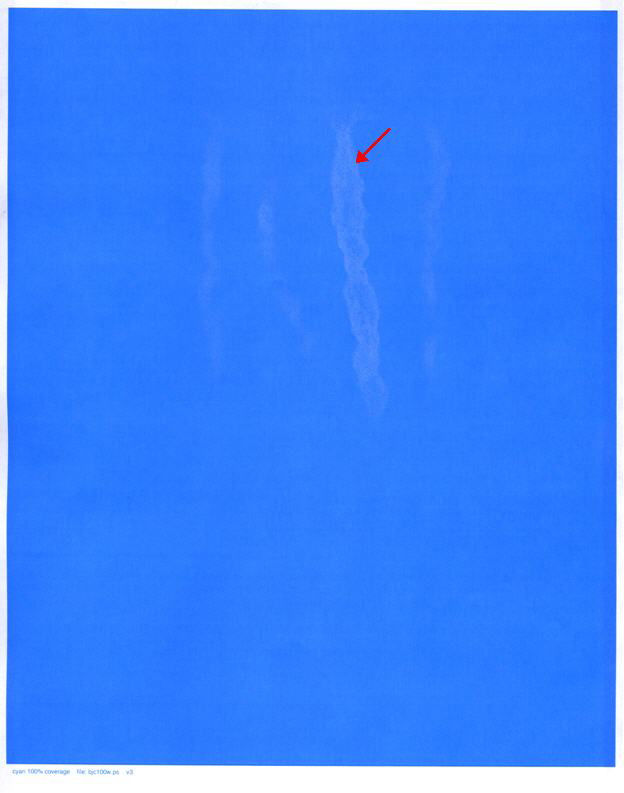 |
Explanation
This defect normally occurs with very light media or paper that has been exposed to high humidity. Thus, trees (paper wrinkles) may be present on the printed page.
Troubleshooting
Step
| Action
|
1
| Check the media or paper that you are using and ensure that it is suitable for use in the printer. Refer to the printer's User Guide for information on supported media types and weights.Is the media you are printing on supported in this printer/MFP? Yes: Continue to Step 2.No: Change the media to a type/weight supported by the printer. |
2
| Open a fresh ream of paper, insert it into the paper tray and try printing again. Did the defect return? Yes: Continue to Step 3No: The problem was likely caused by media that had absorbed too much moisture from the environment. The problem should be resolved. |
3
| If the issue persists even with the new ream of supported media, contact Lexmark Technical Support to request a replacement fuser. |
Still need help?
Please contact Lexmark Technical Support if you need additional assistance.
NOTE:
When calling for support, you will be asked for your machine/model type
and serial number
(SN). If you need help locating these, how-to-locate-the-serial-number-machine-type-and-c.html#how-to-locate-the-serial-number-machine-type-and-configuration-id_HO3817.Please call from near the printer in case the technician on the phone asks you to perform a task involving the printer.
LEGACY ID:
SO6942