250.05 Paper jam failed to feed paper from the Multi-Purpose Feeder (MPF)
C74x / X74x: '250.05' Paper Jam ? Fail to Feed Paper from Multi-Purpose Feeder (MPF)
Issue description
The printer’s operator panel displays a
250.05 Paper Jam
error message, which indicates that the printer registers a sheet of paper as having jammed as it tried to feed from the front-loading Multi-Purpose Feeder
unit. The Multi-Purpose Feeder
(MPF
) tray is the lower cover on the front of the printer. See image below of the actual error that appears on the display.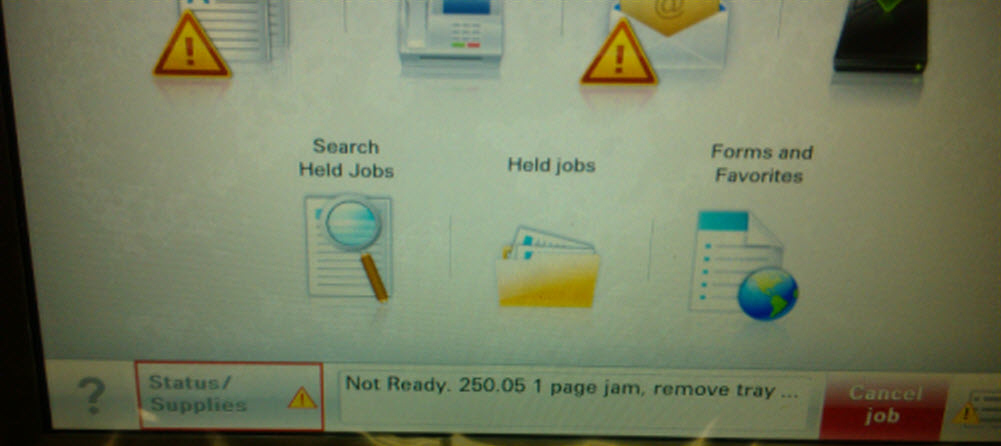
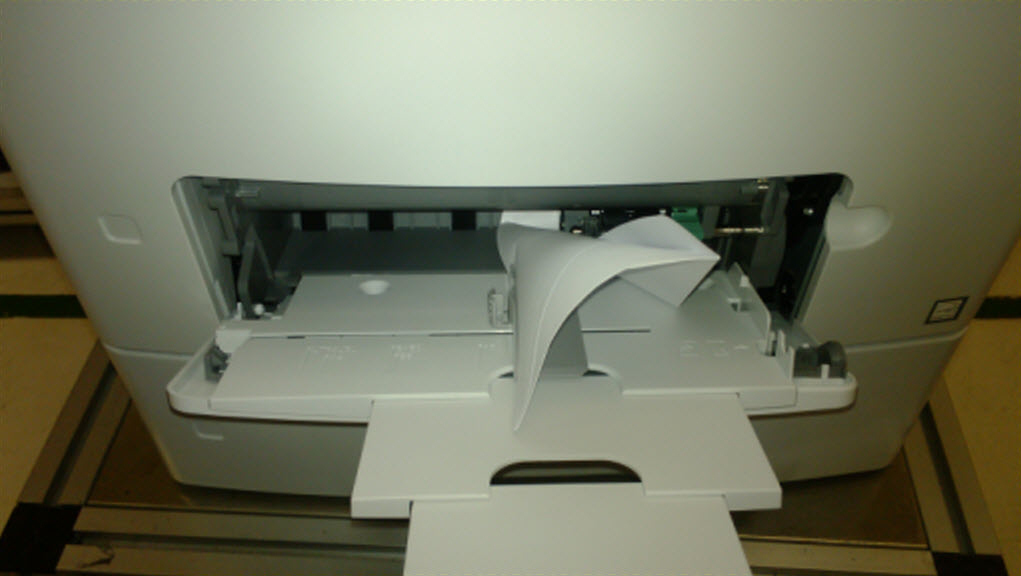
When the error message appears on the operator panel display it will include the printer area where the jam occurred. This will help you locate and clear the jam. Once the paper path is completely cleared of all jammed paper/media, the printer should resume normal printing.
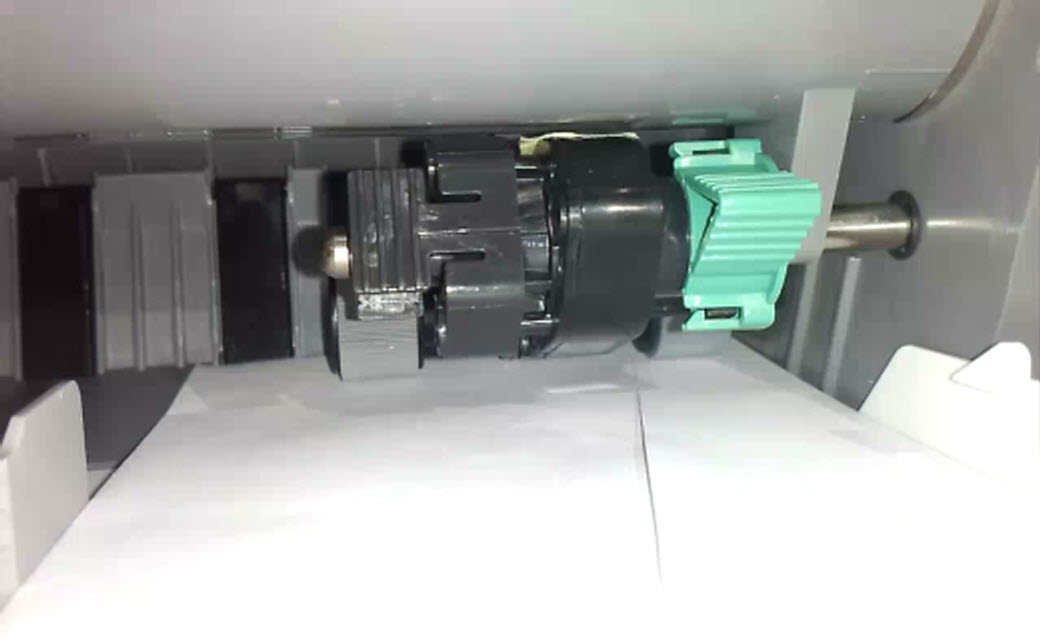
Paper Jam Locations
 |  |
Solution
When dealing with a
250.05 Paper Jam
on Lexmark C74x
or X74x
printers, do the following:- Try to locate and remove the jammed paper. Be sure any previous jams have been completely removed.If this print job consisted of more than one page, probably more than one page is stuck inside the printer. Confirm that the entire paper path is clear before attempting to print again.
- Be sure that the paper in theMPFis loaded correctly and isnotoverloaded.
- Try cleaning the tires of the printer'sMPFfeed unit assembly; see steps below.
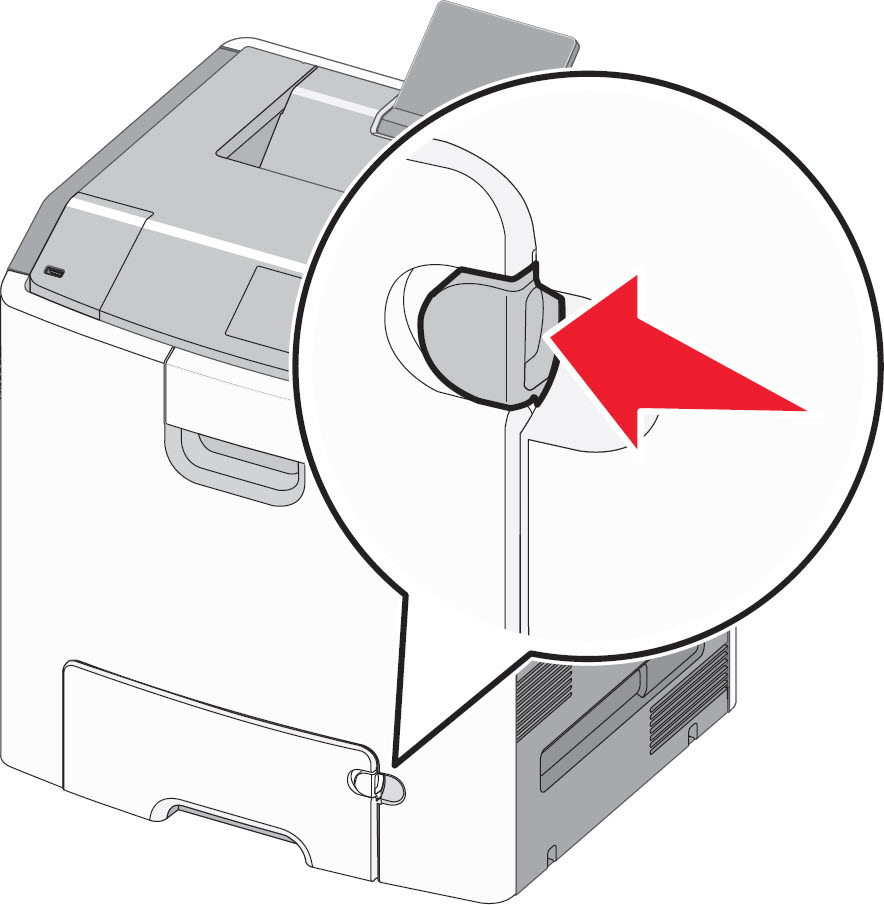
- Press the tray release latch to the left, as thered arrowindicates below, and then pull the multi-purpose feeder down.
- Press on the latches and slide theMPFfeed unit assembly to the left to remove it. Seeredoutline in image below.
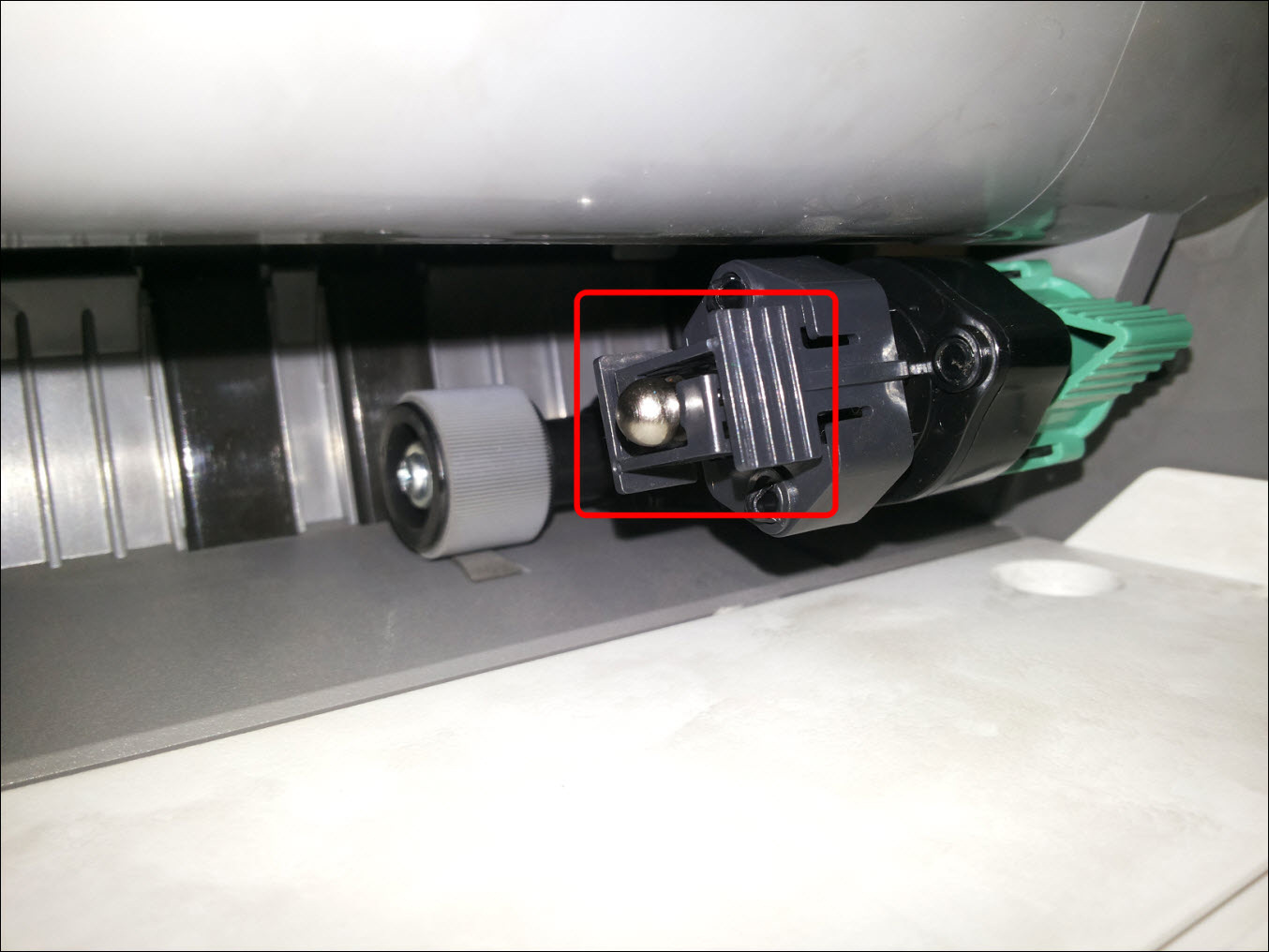
- Dampen a clean, lint-free cloth or paper towel with isopropyl alcohol and carefully wipe the pick roller surface. Seeredin image below.
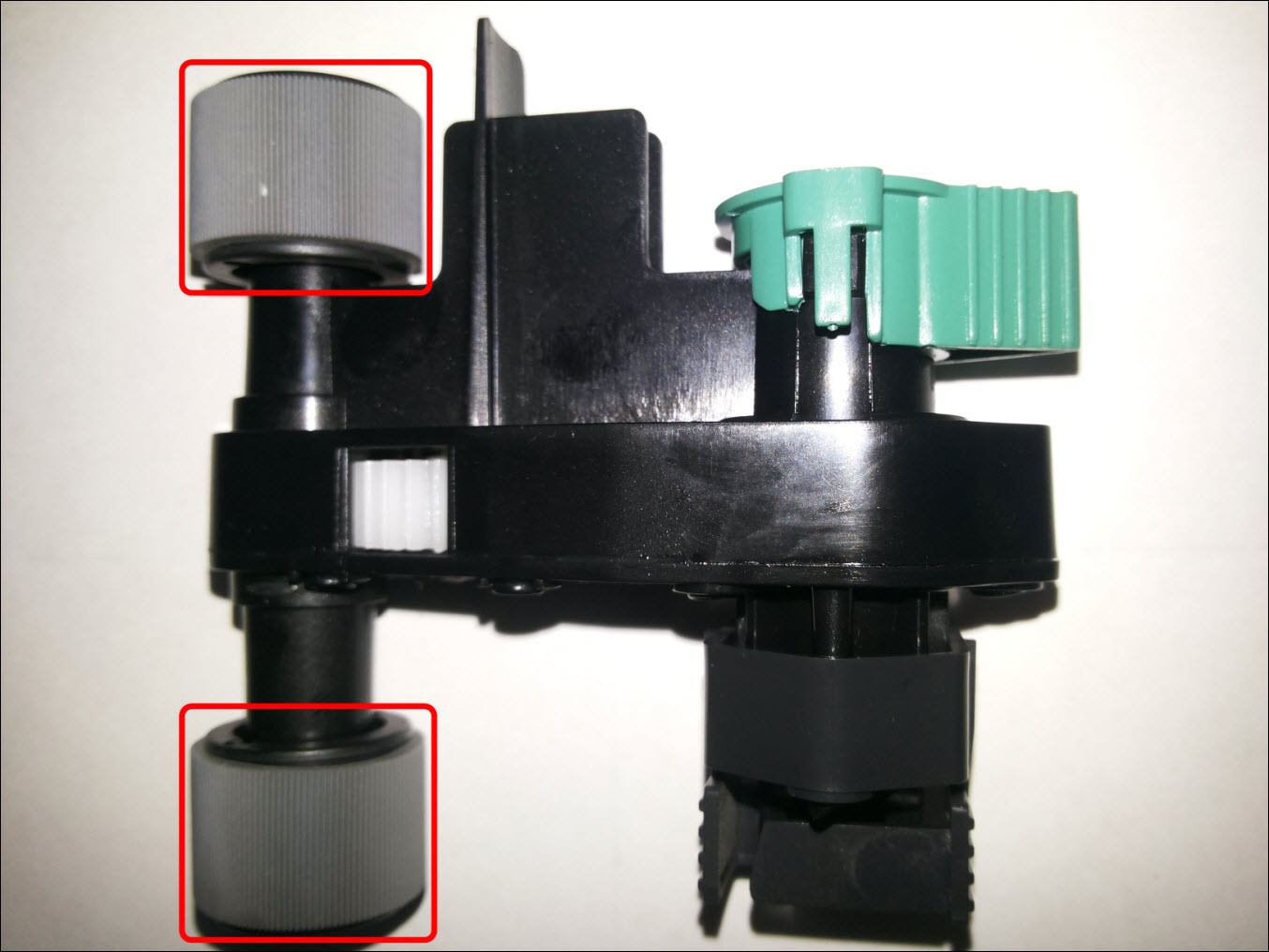 Be sure to remove any contamination found on the rubber pick tires. Be very carefulnotto damage them while doing this.
- Check whether the MPF feed rubber rollers/tires are loose or tight on their wheels.If a rubber tire is loose from its wheel, please contactLexmark Technical Supportto arrange service on the printer.
- Re-install theMPFfeed unit assembly back into the printer. Ensure it is seated properly. Confirm that the entire paper path is clear before attempting to print again. Resend the print job to the printer. Did the issue return?
- Yes:If the issue persists after this test, a service action may be required in order to correct it. For assistance in setting up service, please contactLexmark Technical Supportor a local authorized service provider for additional assistance.
- No:If the page prints correctly, the printer is functioning properly. Pay close attention to the printer over the next few days, however, to see whether the issue returns.
Overview
The printer's
MPF pick shaft
is contaminated causing the pick tires to slip, thus resulting in a fail to feed from the Multi-Purpose Feeder
(MPF
) and prompting the operator panel to display a '250.05
' Paper Jam.Ensure that all suggested troubleshooting steps listed above were followed. Should issue persist after performing the steps mentioned above, proceed with the steps below.
LEGACY ID:
TE564