431.05 or 232.03 Paper Jams due to Stuck Paper Bail on Lexmark MX81x, XM7155, XM7163, & XM7170
431.05 or 232.03 Paper Jams due to Stuck Paper Bail on Lexmark MX81x, XM7155, XM7163, & XM7170
Affected Products:
Multifunction: MX810, MX811, MX812, XM7155, XM7163, XM7170
Issue Description:
The printer posts a
431.05
or 232.03 paper jam
.
Possible Cause
If you are getting frequent
431.05
or 232.03
paper jam errors, chances are the paper bail
of the printer’s Mailbox PHD
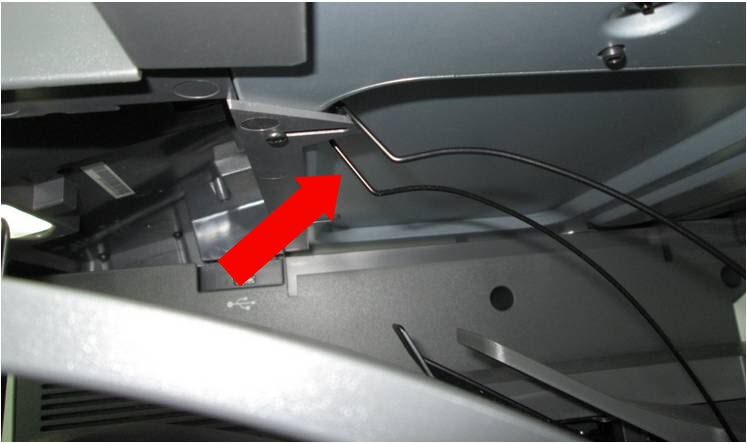
is caught underneath the Operator Panel Bottom Cover
.
Note:
The paper bail is part of the mailbox that holds paper sheets in place and helps prevent offset bin stacking by guiding the sheets into the output bin.
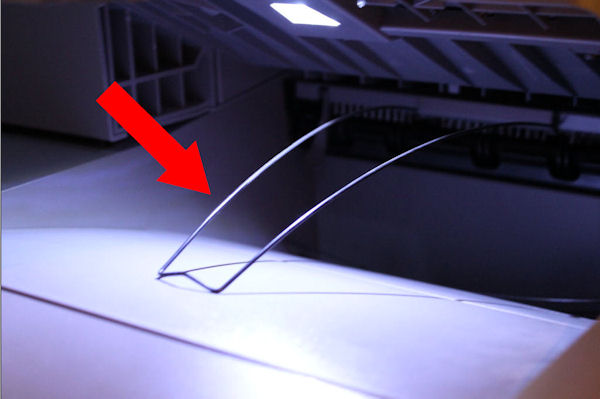
- Correct position of paper bail
- Paper bail caught underneath the Operator Panel Bottom Cover
Solution:
The error codes will continue to appear unless you free the paper bail from being caught under the
Operator Panel Bottom Cover
.
To accomplish this, follow the steps below:
- Clear the Mailbox of any jammed sheets.
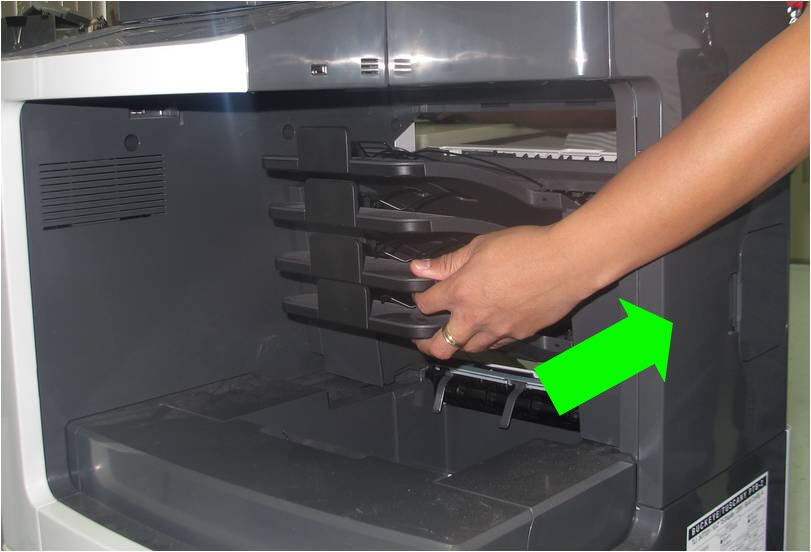
- Hold the front and back portion of the Mailbox. To uninstall, slightly lift the back portion and then move the entire Mailbox backwards (see right-hand image). This should cause the paper bail to fall freely into its place.
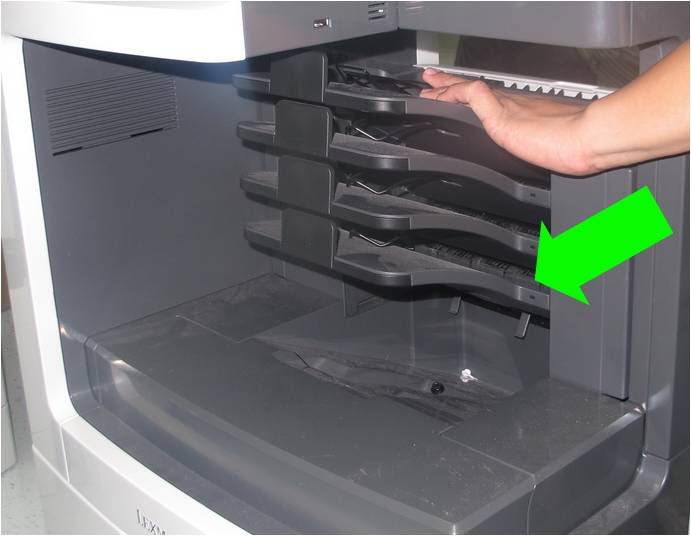
- Once you are sure that the paper bail is free, while still holding the front and back portion, reinstall the Mailbox by moving it forward.
- If issue persists, refer toStill Need Help?section of this document.
Still Need Help?
Have the following available when calling Lexmark Technical Support;
- Printer model(s)
LEGACY ID:
SO7442