Lexmark Scan to RightFax ? How to Set Resolution for Manual Faxes
Issue description
The quality of the received fax quality is blurry but you are unable to increase the fax resolution since the option is not available in the app settings.
Resolution
Update your
Scan to
RightFax
app to version
1.3.6
or
higher
. Get the latest version of this app from
Lexmark Virtual Solution Center (VSC). Should you need help in downloading or installing the app, please call
Lexmark Technical Support
.
Explanation
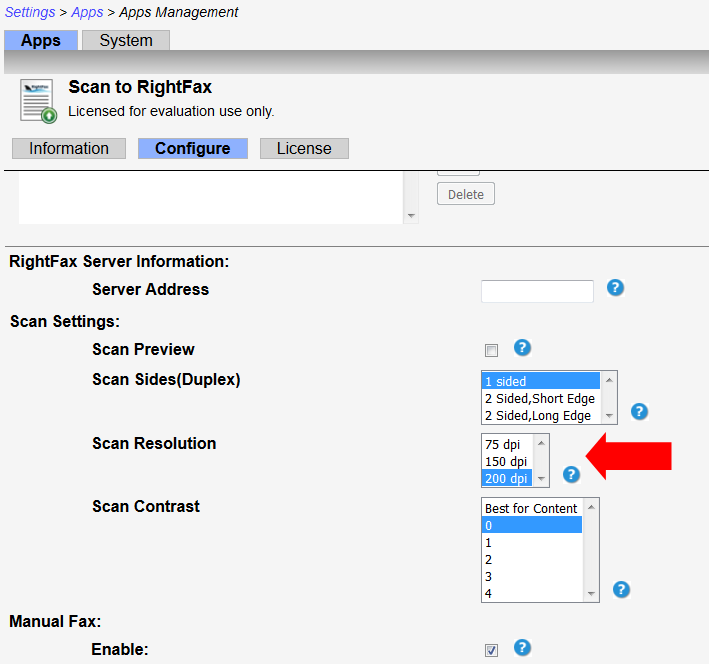
Previous versions of the app do not have the option to set the resolution for Manual Faxes. Since it is hardcoded in the backend, this new version already has this option and can be found under ldquoescaped
Configure
rdquoescaped button.
Still need help?
If you require additional assistance, please close this window and locate

Get In Touch with Lexmark!
for contact information.
NOTE:
When calling for support, you will need your
printer model
/
machine type
and
serial number
(
SN
).
Please be near the products described in this article to expedite the support process and reduce callbacks.
LEGACY ID:
SO8215