Lexmar CX/CS8xxx and XC/Cxxxx: Paper Jam Issue Caused by Loose Chads
Affected Products:
Single-Function: CS820, CS827 and C6160
Multifunction: CX820, CX825, CX827, CX860, XC6152, XC6153, XC8155, XC8160 and XC8163
Issue Description:
The printer encounters a
450.25
and 450.21
paper jam error messages due to some loose chads found inside the finisher.
Solution:
- Power the printer off.
- Check theMultiposition staple, hole punch finisher(MSHPF) standard bin for loose chads where the paper jammed.
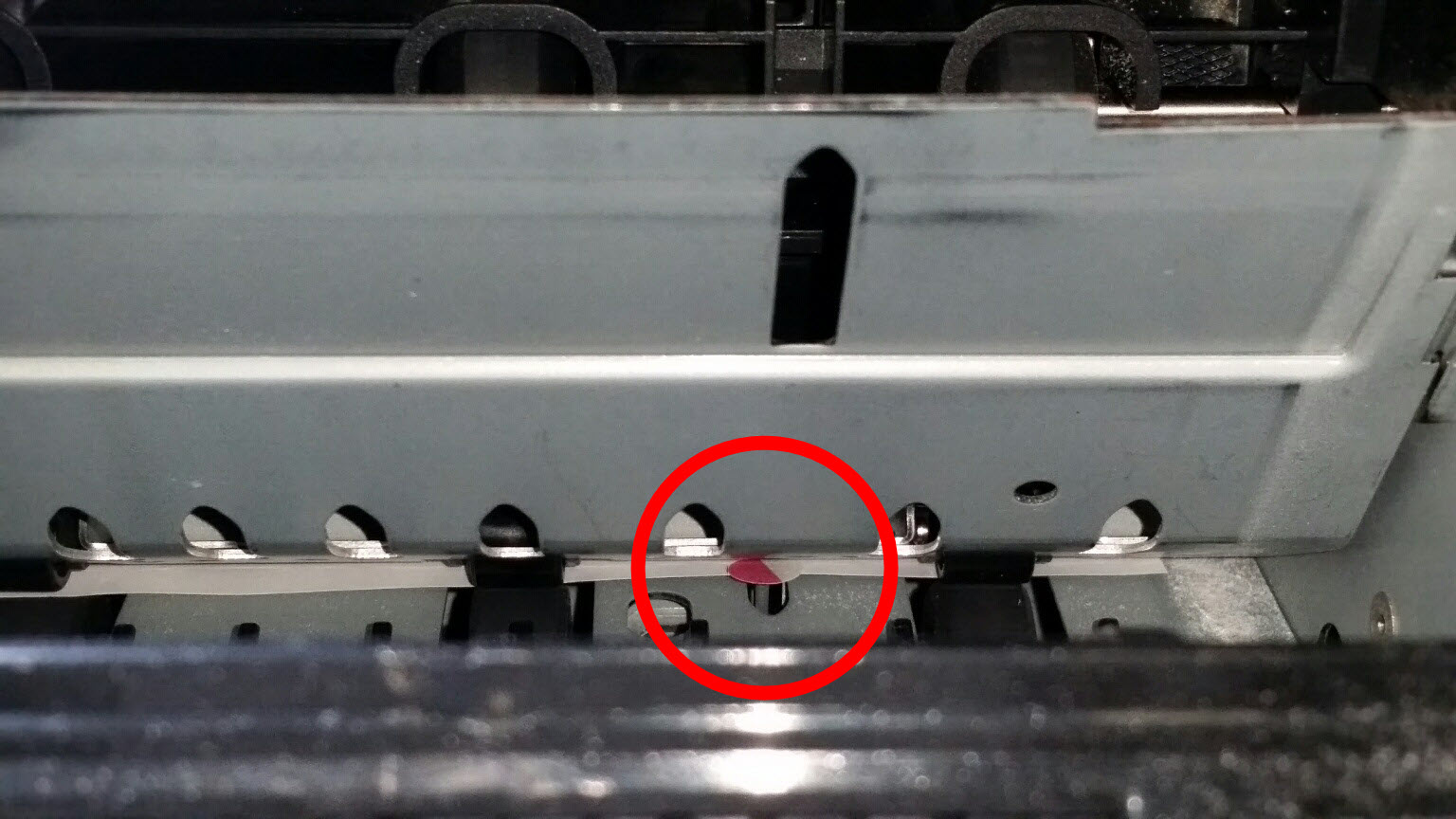
- Be sure to empty the hole punch box.Note:Click here for the steps on how to empty the hole punch box.
- Before inserting the hole punch box, check for excess chads and ensure these are cleared.
Emptying the Hole Punch Box:
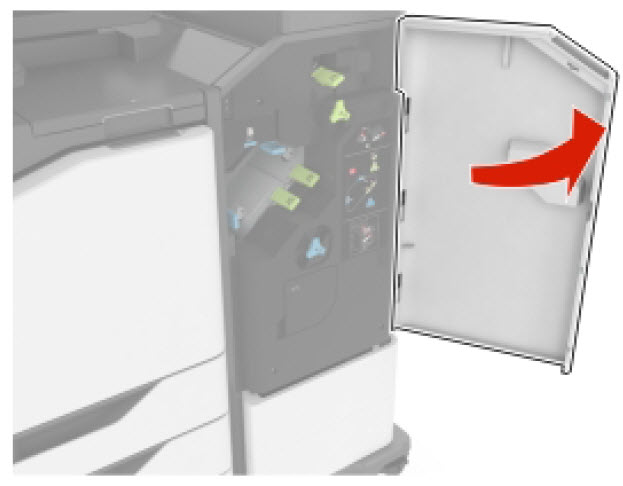
- OpenDoor J.
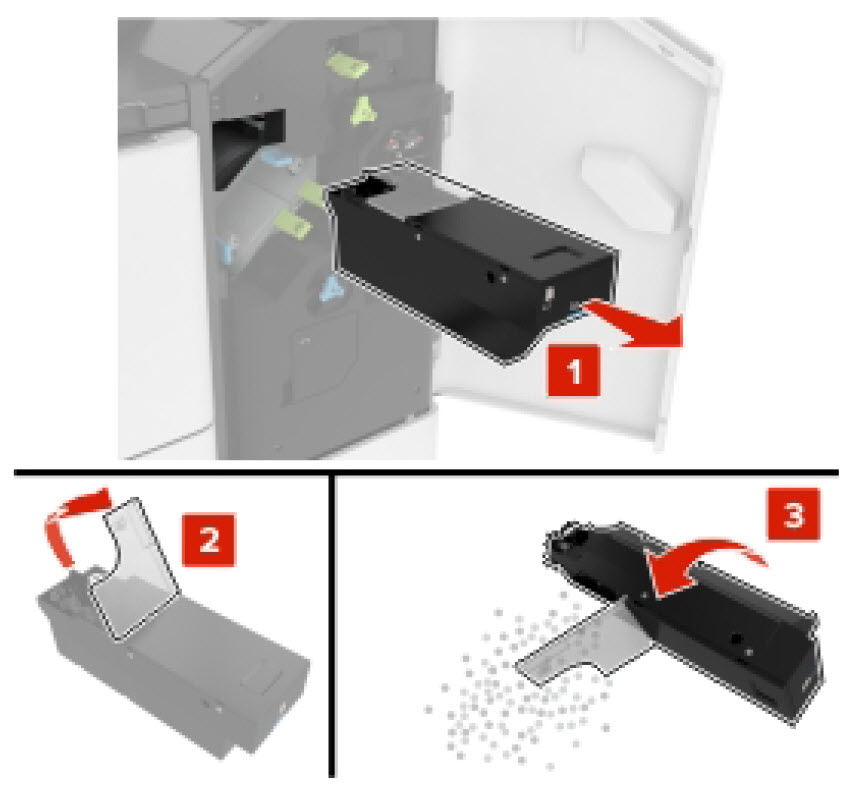
- Remove and empty the hole punch box.
Still Need Help?
Have the following available when calling Lexmark Technical Support;
LEGACY ID:
SO7795