Unable to Use Alternate Login Method when Control Panel Login Is Set To SmartCard
Overview
When the default control panel login method is set to "
Smart Card
" (A), users are unable
to use an alternative method (e.g., password) except Smart Card (B) in accessing other printer functions, such as changing the device settings. 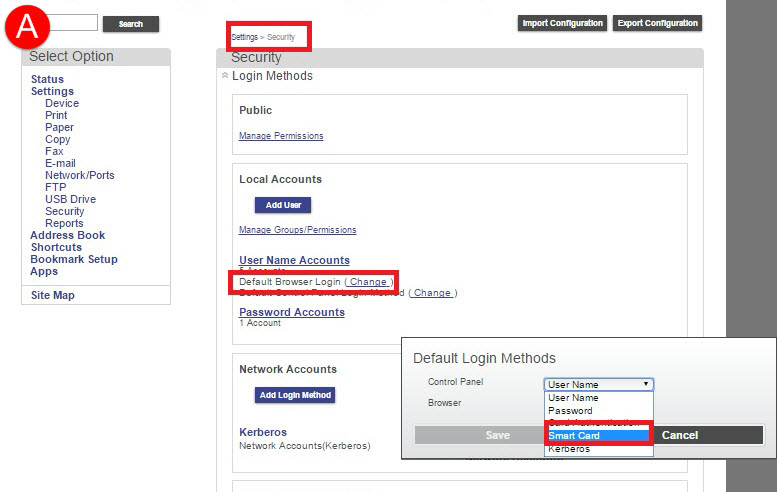 | 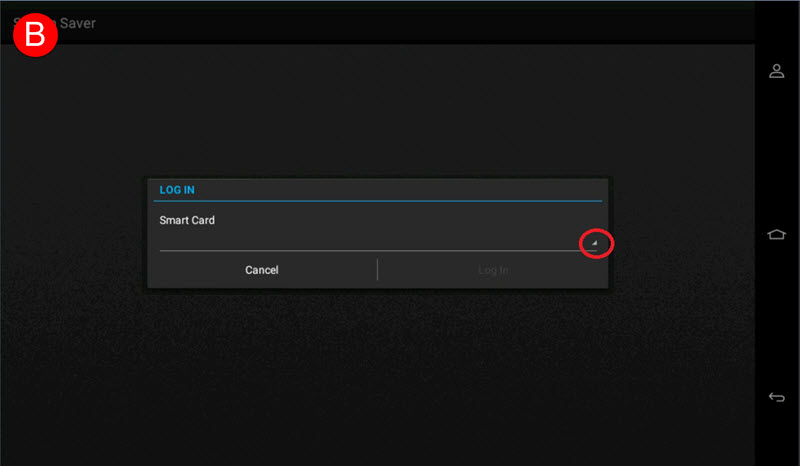 |
Solution
Updating the
Smart Card Authentication client
(SCAC
) to version 2.1.6
will fix the issue. Please contact Lexmark Technical Support
to acquire this new client version.
Once SCAC is updated, changing the login type to “Smart Card or Change Login Method
” (C) from the SCAC configuration
will then give you several options (D) when logging in to the printer.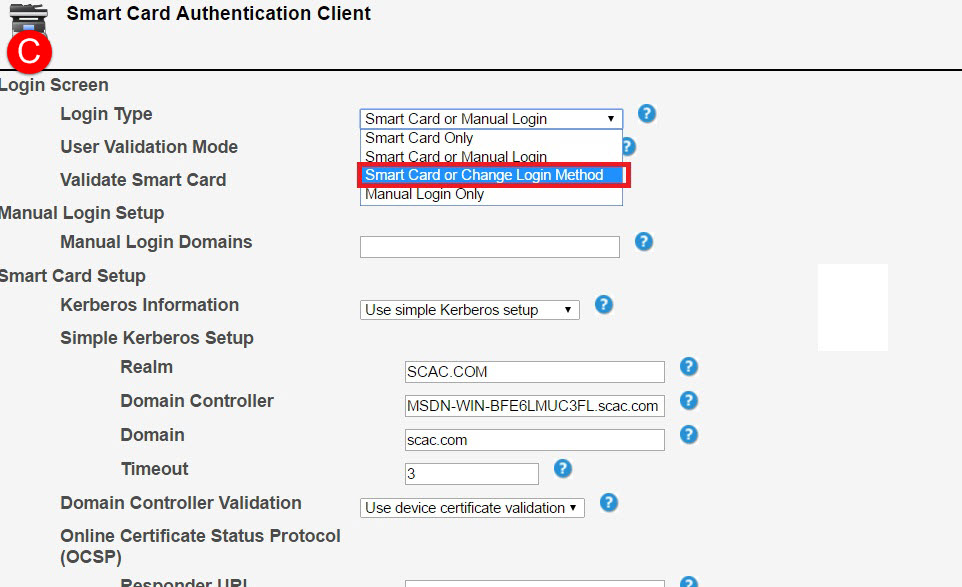 | 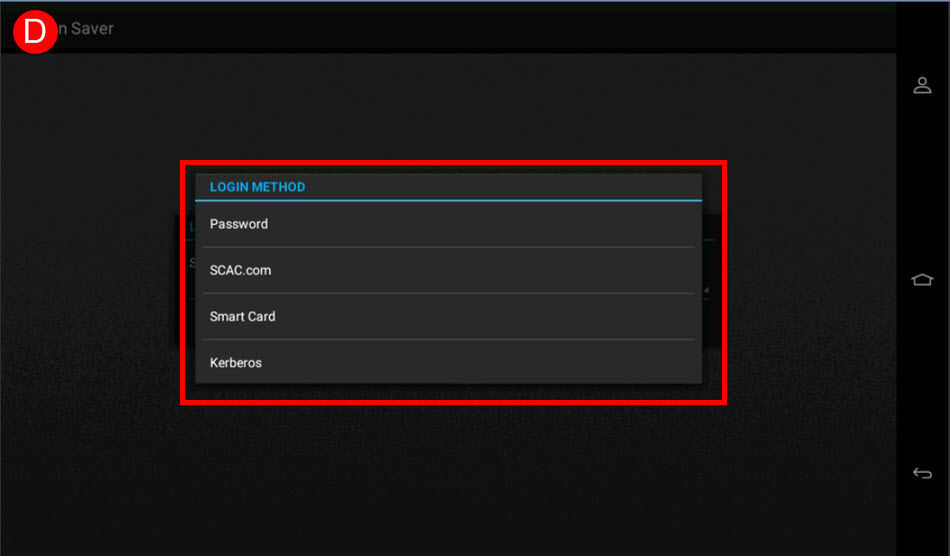 |
Still need help?
If you require additional assistance, please close this window and locate 
Get in Touch with Lexmark!
for contact information.
NOTE:
In order to expedite the support process, please be prepared to provide information regarding your issue, e.g., name
and version of solution
, problem description
, and affected printer models
.The support agent may request additional information.
LEGACY ID:
SO8134