Printer Posts `Paper Jam, Open Doors G, H and J and Clear Jammed Paper. [200]?
Affected Products:
Single-Function: MS911
Multifunction: MX91x
Issue Description:
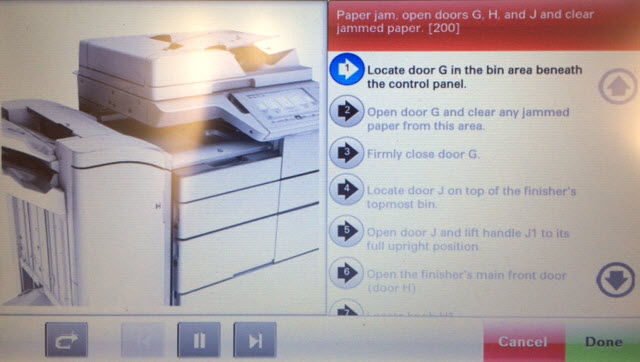
A 200 paper jam error appears on the printer. These sample images show the actual error seen on the printer.
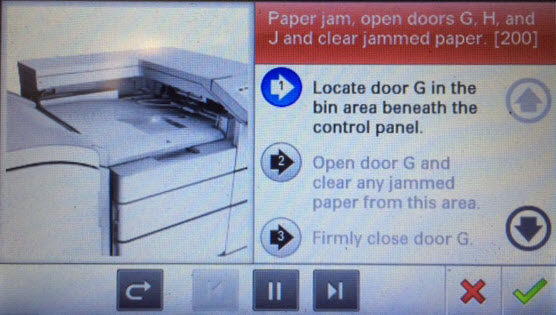 |  |
MS911 Control Panel
| MX911 Control Panel
|
Solution:
- Check any paper jammed in door G.
- Unlatch the finisher and gently move it away from the printer.
- Check the cable between the Horizontal Transfer Unit and the finisher to see whether it has become disconnected, as shown in this image below:
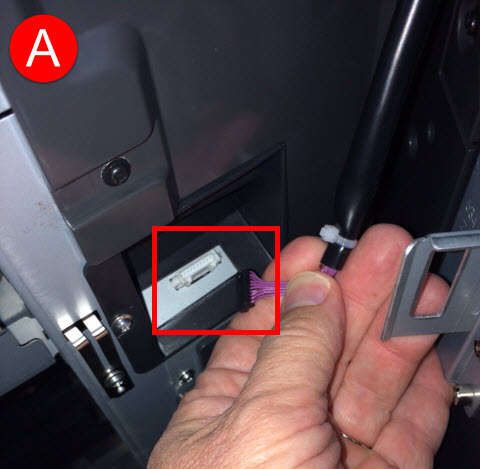
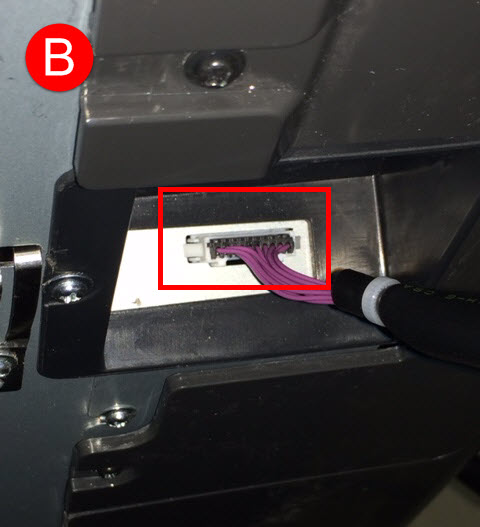
- If the cable is disconnected, power off the printer and reconnect the cable as shown in image (B).
- Move the finisher back into position and re-latch the finisher to the printer.
- Power the printer back on and try to print a test page to see whether the error reoccurs.
Still Need Help?
Have the following available when calling Lexmark Technical Support;
- Printer model(s)
- Printer serial number
LEGACY ID:
SO8082