Tray 3 Option Recognized as Tray 2 when Installed on a Lexmark CS310, CS410, CS510, CX310, CX410, or CX510
Tray 3 Option Recognized as Tray 2 when Installed on a Lexmark CS310, CS410, CS510, CX310, CX410, or CX510
What you will see
Tray 3
is recognized as Tray 2
when installed on the printer.
You may also notice unusually high skew on printed pages when printing from Tray 2
. It can shift as it goes from left to right or the entire text and/or image can be crooked on the page. See sample of a skewed page below.
 |
Click Image to Enlarge
|
Possible cause
This issue is caused when an incorrect option
Tray 2
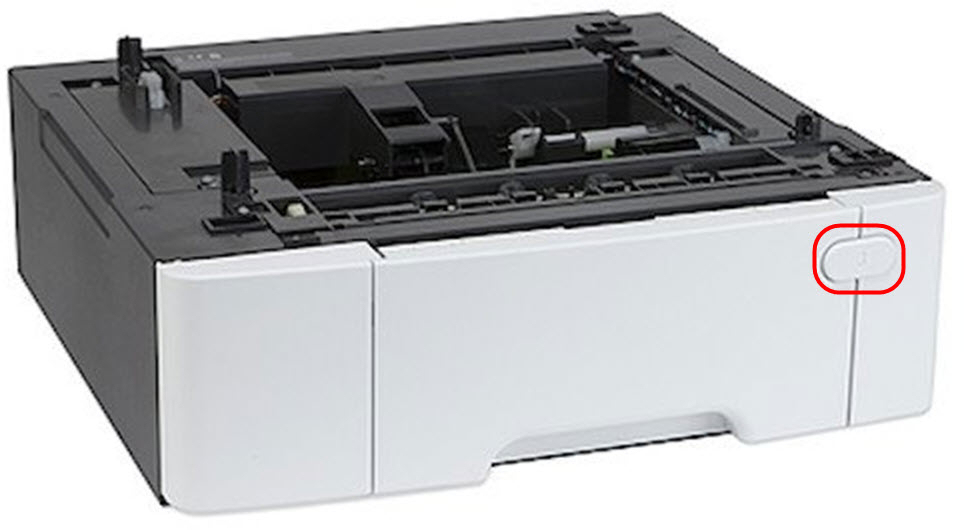
is installed on the printer. To determine whether the proper option Tray 2
is installed on the printer, check if the option tray has a number “3
” on it (see red
in the image below) and does not
have a Multi-purpose Feeder
(MPF
). If the tray is labeled with a "3
" and and does not
have a MPF
, then you do not
have a valid printer configuration. This Tray 3
/ non-MPF configuration
may cause large skew on pages printed from the option tray.
 |
Click Image to Enlarge
|
NOTE:
If the printer has no
installed options or a 650-sheet Tray 2 with Multi-purpose Feeder
(MPF
is installed below the machine and is experiencing skew issues
, please see for guidelines on loading paper. The skew in this case is not related to an incorrect tray configuration and may instead be due to improper paper loading. Please follow the regular troubleshooting steps for skew issues.
Option Tray Configuration
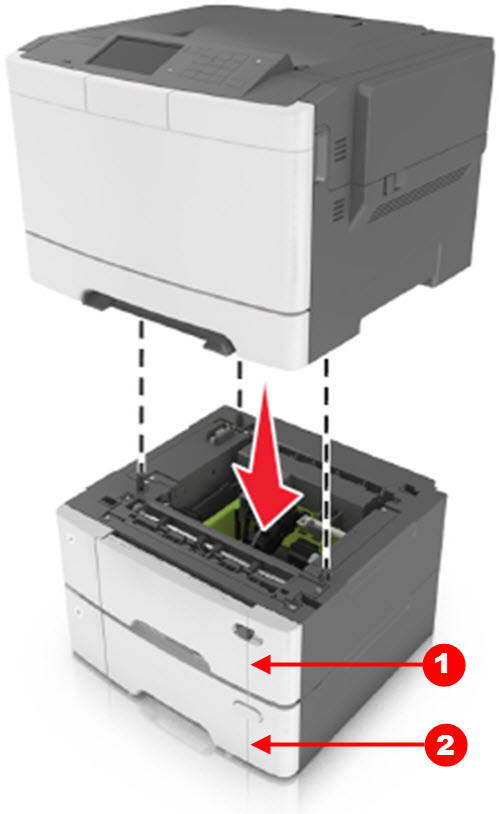
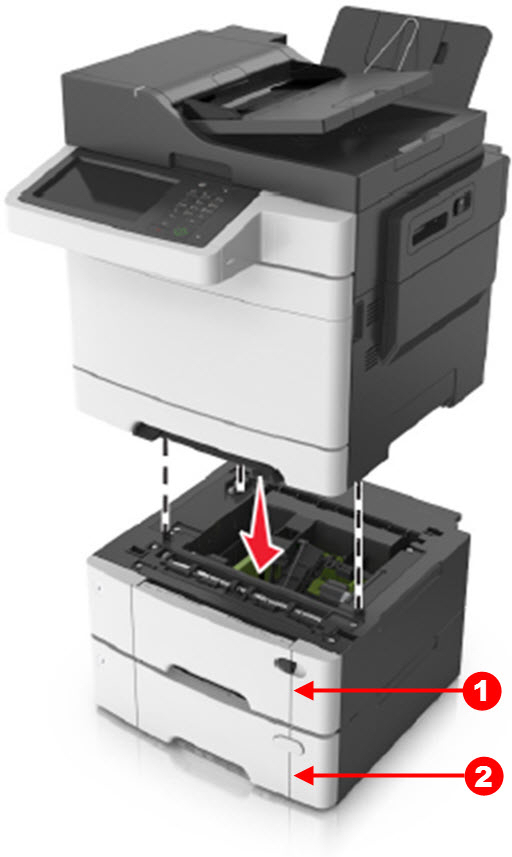
The proper printer tray configuration should be one of the configurations shown below:
Single-Function
| Multi-Function
|
 |  |
Click Image to Enlarge
| Click Image to Enlarge
|
Where:
Single-Function Tray Configuration
| CS310, CS410, CS510 Printers
1 650-Sheet Option Tray 2 with a Multi-purpose Feeder (MPF) |
CS410, CS510 Printers
1 650-Sheet Option Tray 2 with a Multi-purpose Feeder (MPF)2 550-Sheet Option Tray 3 | |
Multi-Function Tray Configuration
| CX310, CX410, CX510 Printers
1 650-Sheet Option Tray 2 with a Multi-purpose Feeder (MPF) |
CX410, CX510 Printers
1 650-Sheet Option Drawer with a Multi-purpose Feeder (MPF)2 550-Sheet Option Tray 3 |
NOTE:
CS310
and CX310
only support one option tray: the 650-Sheet Option Tray 2 with a Multi-purpose Feeder
(MPF
).
Recommendation
Check to see whether the printer has the proper option tray installed on the machine. If the
tray configuration
is incorrect, please get or order the correct option tray(s).
Still Need Help?
If you require additional assistance, please close this window and locate 
Get in Touch with Lexmark!
for contact information.
NOTE:
When calling for support, you will be asked for your machine/model type
and serial number
(SN
). Should you need help locating your printer's model type
and serial number
, how-to-locate-the-serial-number-tli-config-id-and-.html#how-to-locate-the-serial-number-tli-config-id-and-machine-type-on_HO3870.
Please be near the products described in this article to expedite the support process and reduce callbacks.
LEGACY ID:
TE648