`202.04? Paper Jam Error Messages on the Lexmark CS310, CS410, CS510, CX310, CX410, and CX510
`202.04? Paper Jam Error Messages on the Lexmark CS310, CS410, CS510, CX310, CX410, and CX510
Overview
A
202.04 Paper Jam
error messages appear on the printer control panel display. The error indicates one or more sheets of paper are jammed on the standard output bin
of the printer, or in the Fuser area
.
Paper Jam Locations
The paper jam can be located in either one of the two locations below:
Location
| Click Image to Enlarge
|
Standard Output Bin Jam | 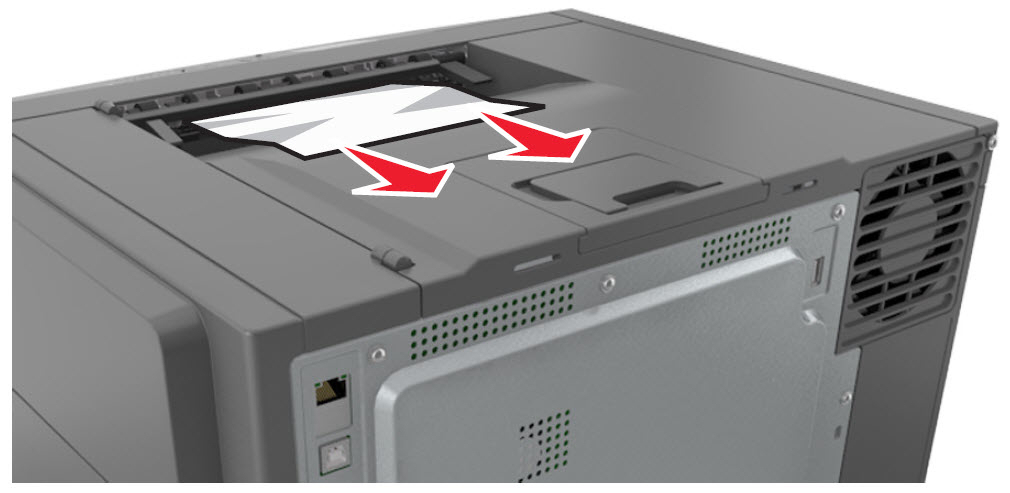 |
Fuser Area Jam | 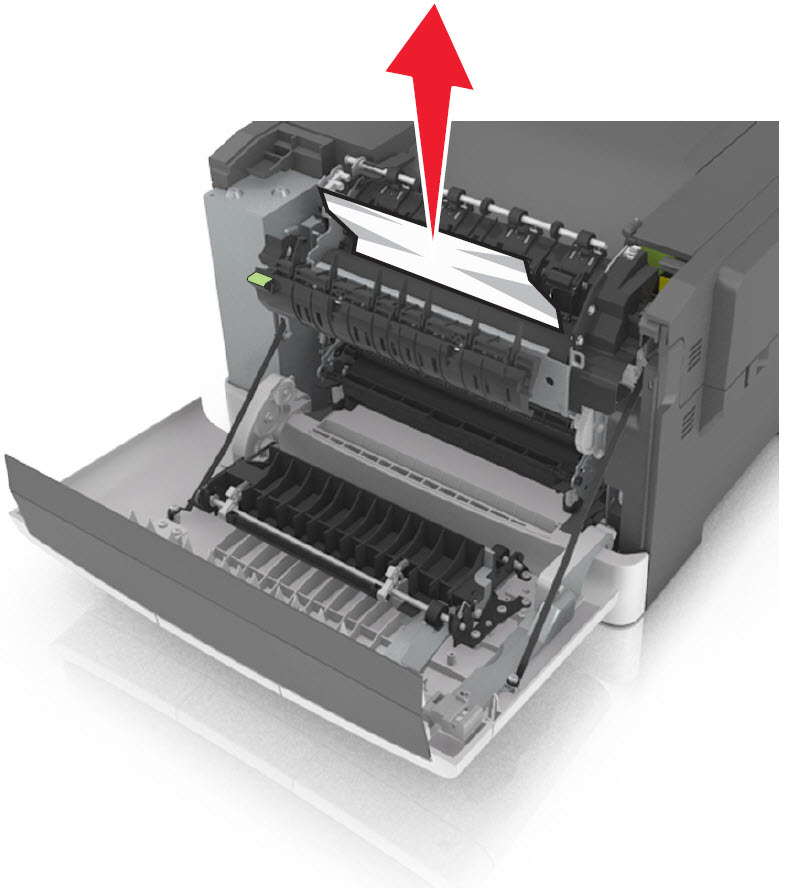 |
Troubleshooting
Steps
| Actions
|
1
| Be sure any previous jams have been completely removed; and refer to 202.xx Paper Jam Removal . |
2
| Make sure that the affected paper tray (could be any input source) is loaded properly; please refer to. |
3
| Verify that the paper size , type , and weight are within specification for the input source. Light-weight paper can jam more easily in the fuser. Set to light paper mode if running light media with heavy coverage. |
4
| If the paper in the printer shows signs of excessive wrinkle , crease , or dampness , or if the sheets are bent or wavy , or have ream glue or curl , there is probably too much moisture in the paper. Replace the paper in the printer with new paper from an unopened ream. |
5
| If issue persists after performing the steps mentioned above, an issue may exist within the machine's hardware. Please contact Lexmark Technical Support for other troubleshooting suggestions. |
Contacting Lexmark
Please contact
Lexmark Technical Support
if you need additional assistance.
NOTE:
When calling for support, you will be asked for your machine/model type
and serial number
(SN
). If you need help locating your printer's model type
and serial number
, how-to-locate-the-serial-number-tli-config-id-and-.html#how-to-locate-the-serial-number-tli-config-id-and-machine-type-on_HO3870.
Please call from near the printer in case the technician on the phone asks you to perform a task involving the printer.
LEGACY ID:
SO7174