Lexmark CS/X72x and XC41xx: How to Locate the Serial Number, TLI, and Machine Type
Affected Products:
Single-Function: C4150, CS720, CS725, CS727, CS728
Multifunction: CX727, XC4143, XC4150, XC4153
Issue Description:
When contacting Lexmark Technical Support or arranging warranty service, you will need to know your printer's machine (
model
) type and serial number. This article explains how to find information such as the serial number
(SN
), top-level indicator
(TLI
), and machine type
on the printer.
Locating the Label:
- Open the printer's front cover.
- Look for a sticker where the information above is located. See the location pointed by thered arrowon the right-hand image.
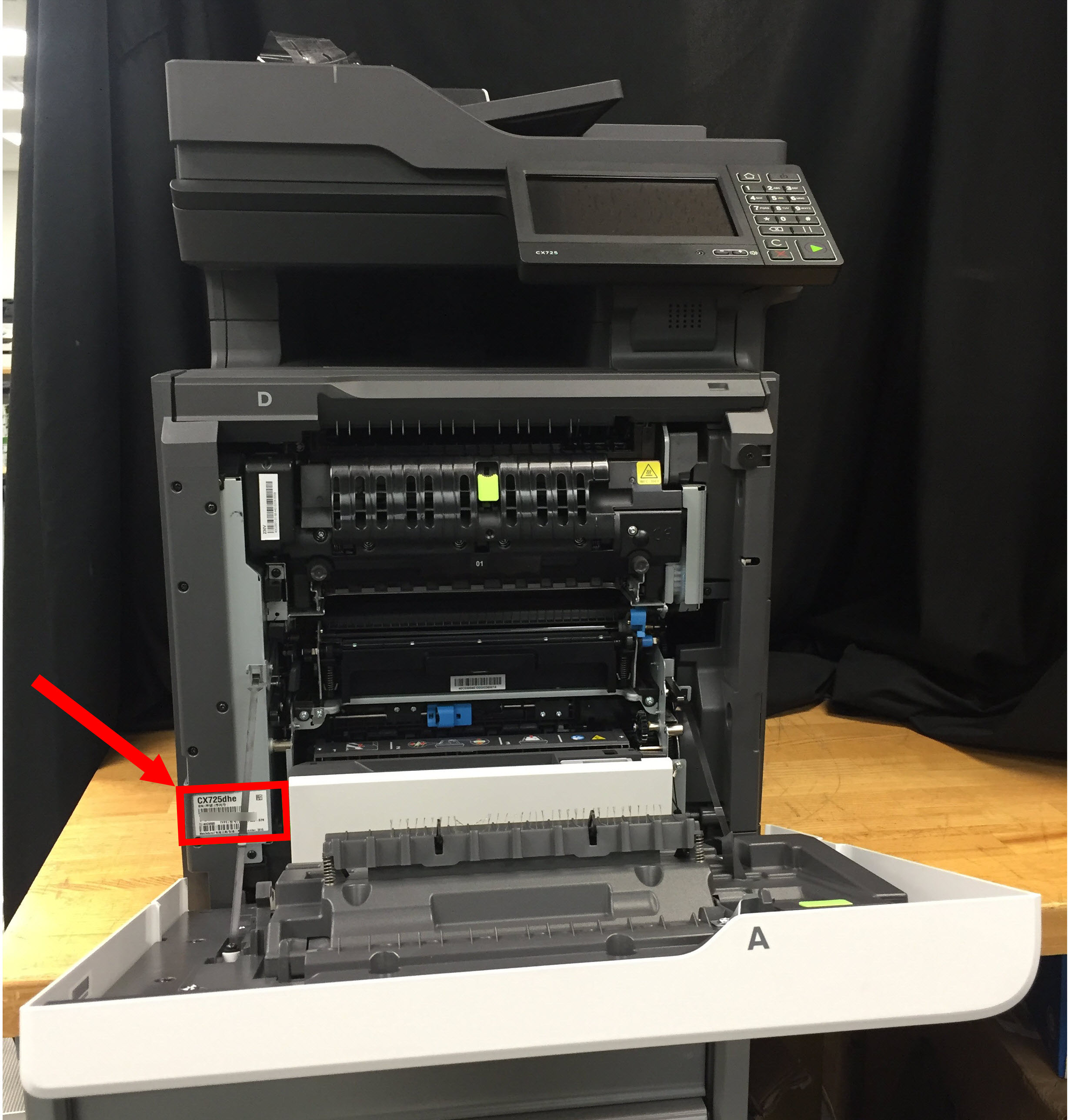 NOTE:The printer's serial number is also listed on the menu settings page that you can print using the printer.
LEGACY ID:
HO4001