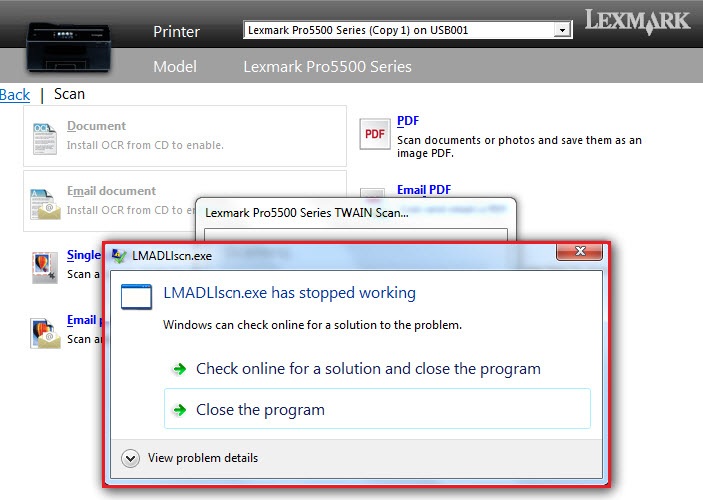
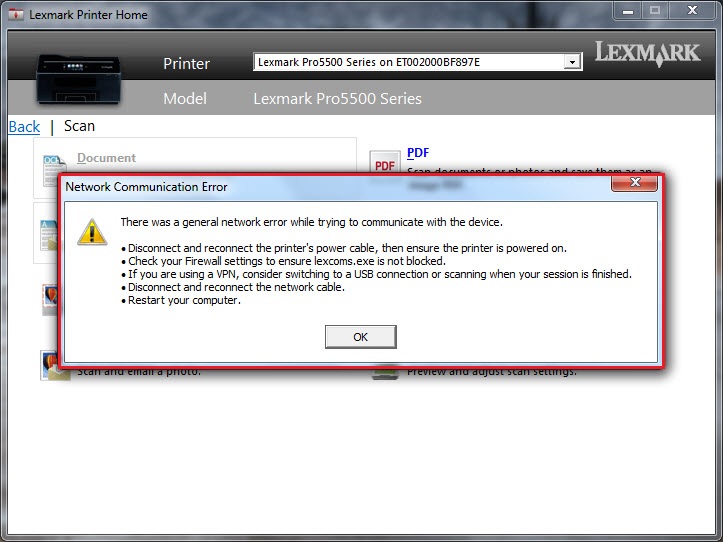
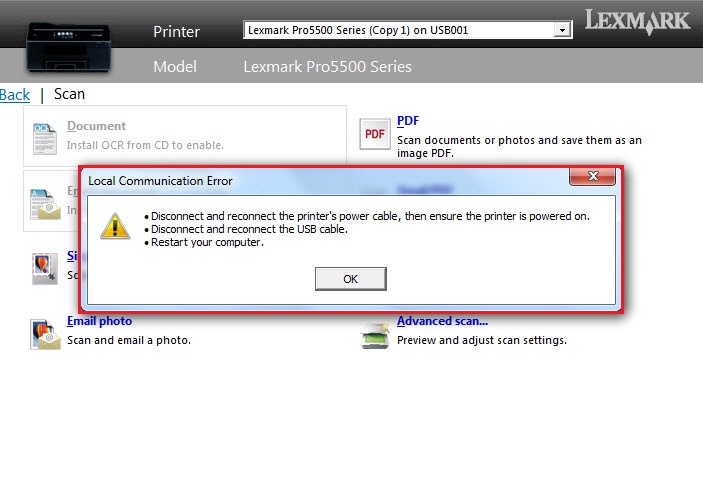
'LMAD?lscn.exe has stopped working', 'Network Communication Error', 'Local Communication Error' or Other Errors Occur when Launching Scan via Flatbed from Lexmark Printer Home
What you will see
You may experience a
crash
, error
, or have no response
at all during a scan job in which only the Flatbed scanner
is used. This occurs when launching the scan process via the Lexmark Printer Home
(LPH
) application found in your computer and double-clicking "Yes
" when asked to scan another page.LMAD?lscn.exe has stopped
working
Error | Network Communication Error
| Local Communication Error
|
 |  |  |
Click Image to Enlarge
|
Model-Specific Prefixes:
S310 Series<LMA
DE
>
S410 Series<LMADG
>
S510 Series<LMADH
>
Pro710 Series<LMADI
>
Pro910 Series<LMADJ
>
Pro4000 Series<LMADK
>
Pro5000 Series<LMACT
>
Pro5500 Series<LMADL
>
All Laser Printers <LMAB
>
Common prefixes: <LM>, <lex>For example,
LMACTmon.exe
contains the prefix <LMACT
> which references a Lexmark Pro5000 inkjet printer.Explanation
Double-clicking is a common task in Windows; e.g., double-clicking to launch an executable file or an application. But in this scenario described above, double-clicking "
Yes
" when asked to scan another page, actually results in trying to launch two
different processes simultaneously:1. The first click hits “
Yes
” on the Scan another page
menu.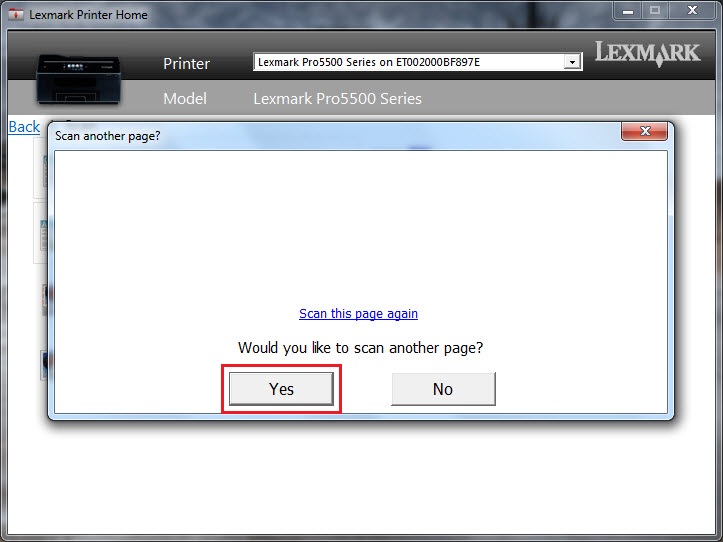 |
Click Image to Enlarge
|
2. The second click hits “
Email Photo
” in the scan menu, which is about the same location as the “Yes
” button.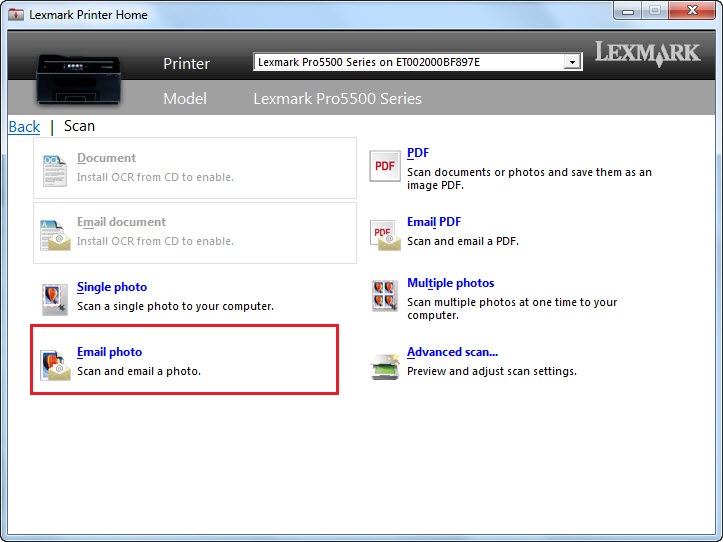 |
Click Image to Enlarge
|
NOTE:
Thus, in this case, double-clicking initiates an attempt to run both
scan options simultaneously.Suggested Remedy
If you observe an
lm???lscn.exe
crash, please see whether a single-click
on the mouse when selecting “Yes
” on the “scan another page” dialog will eliminate the encountered crash or error.Still need help?
Please contact
Lexmark Technical Support
if you need additional assistance.
NOTE:
When calling for support, you will be asked for your machine/model type
and serial number
(SN
).Please call from near the printer in case the technician on the phone asks you to perform a task involving the printer.
LEGACY ID:
SO7357