Lexmar CX/CS72x and XC/C41xx: USB Device Not Responding
Affected Products:
Single-Function: CS720, CS725, CS727, CS728 and C4150
Multifunction: CX725, CX727, XC4140, XC4143, XC4150 and XC4153
Issue Description:
A
USB Device
(e.g., thumb drive) that is plugged into the printer is not responding. You should see the following error on the screen.
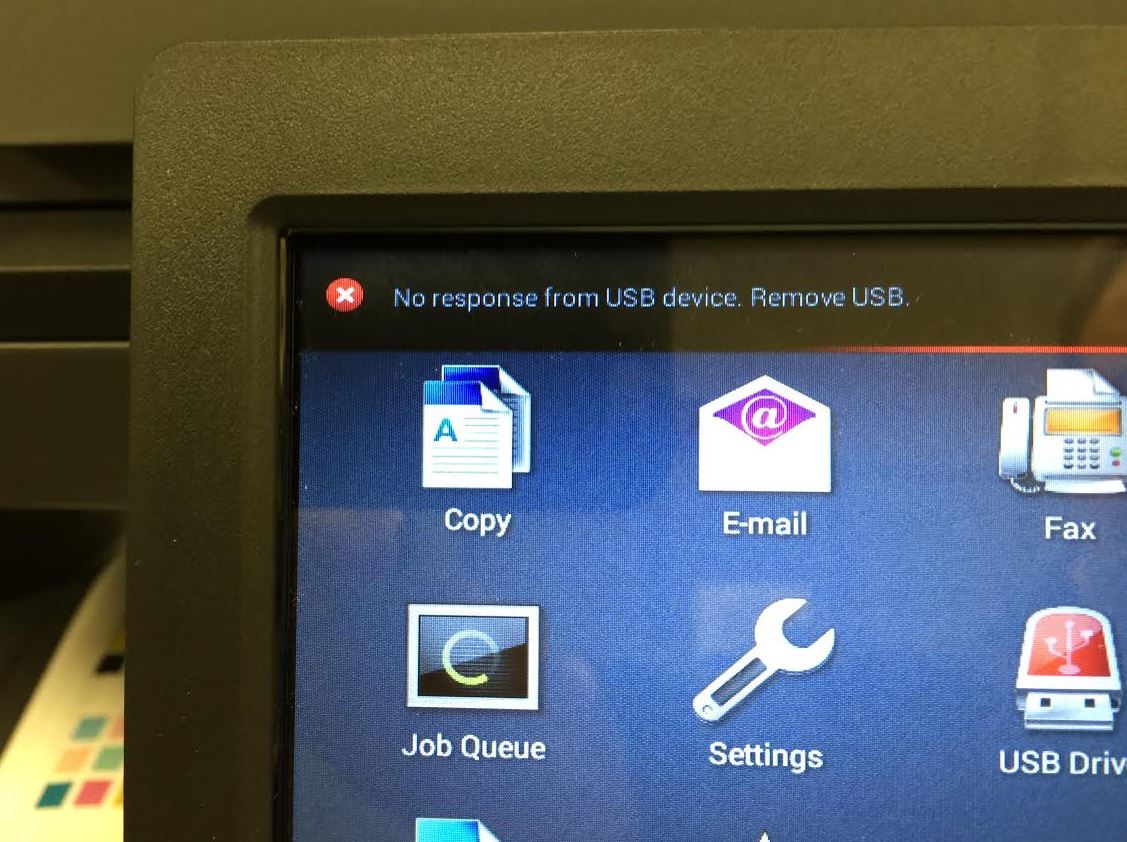
Note:
This error appears the moment you plug in the thumb drive.
Solution:
Perform a
Power-On-Reset
(POR
) or restart the printer to rectify the issue. This is to restore the USB host in the printer.
- Switch off the printer.
- Wait for a few seconds.
- Switch on the printer.
- Plug the thumb drive back in.
Note:
The issue is seen only
when using some varieties of 3.0 USB thumb drives.
Still Need Help?
Have the following available when calling Lexmark Technical Support;
- Printer model(s)
- Printer serial number
LEGACY ID:
SO7788