Lexmark CS/X72x and XC41xx: Squeaking Noise when Printing
Affected Products:
Single-Function: C4150, CS720, CS725, CS727, CS728
Multifunction: CX725, CX727, XC4143, XC4150, XC4153
Issue Description:
A squeaking or creaking noise is heard during printing or after the last page is printed. This noise only transpires when printing and no noise occurs upon the printer's boot up.
Solution:
For any type of noise issue, try the following:
- Check where the noise originates from.
- Power off the printer.
- Open the printer's toner door and check for any issues with the supplies, such as thetoner cartridges,imaging unit, and thewaste toner bottle.
- If the supplies noted above seem to be in good condition, check the paper path to make sure no paper remains inside.
- Power the printer back on and print a test page to see whether the noise still remains.
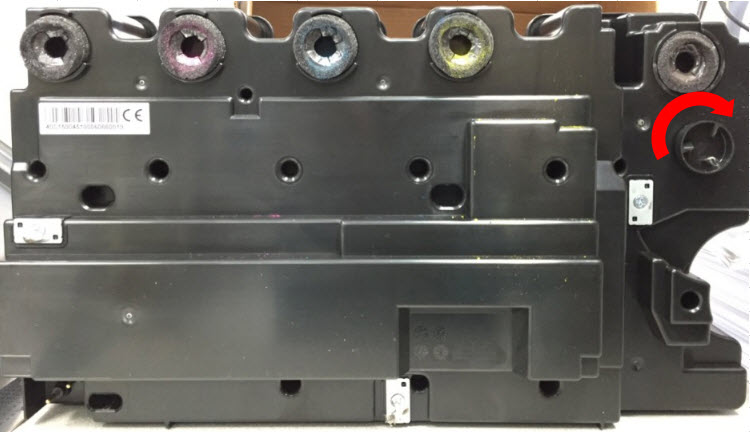
- Replace theWaste Toner Bottle(WTB) if the noise originates from the printer'sright-handside, below theimagingunit.Note:Click the link to play a sample audio file of waste toner bottle squeak .
- Occasionally a bind in the coupling can be the cause of the squeaking noise. Hence, rotate the WTB drive coupler90 degreesfrom its position before installing. See images below:
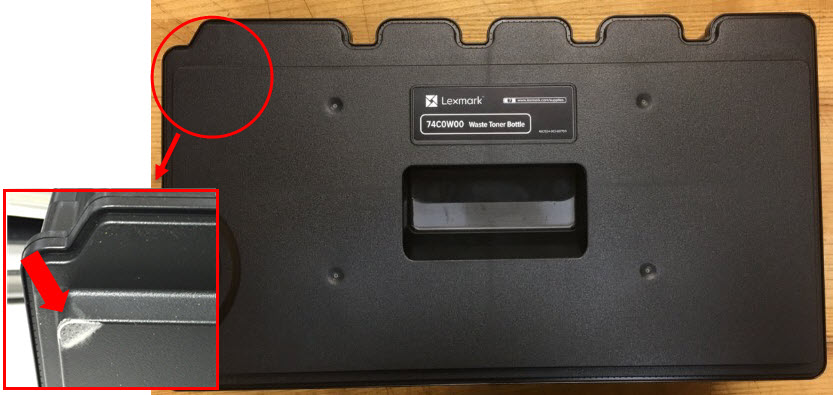
 Potential wear patterns that may be observed on the waste box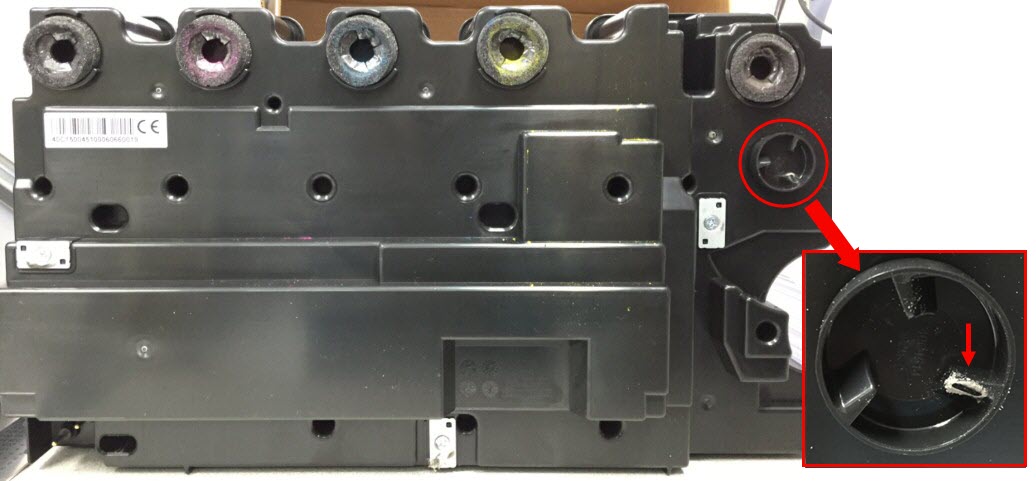
Still Need Help?
Have the following available when calling Lexmark Technical Support;
- Printer model(s)
- Printer serial number
- Toner/imaging unit/waste toner bottle part number and serial number
LEGACY ID:
SO7814