Lexmark Scan Center: How to Scan to a 1-Bit Depth BMP Format
Affected Products:
Solution: Lexmark Scan Center App
Issue Description:
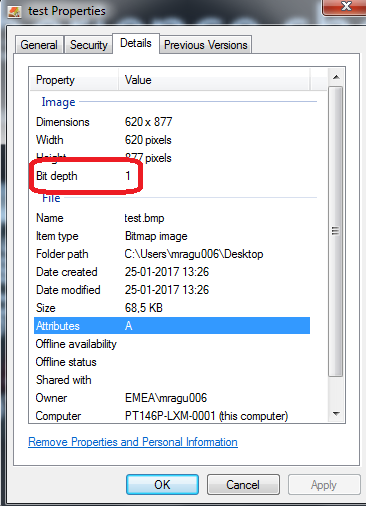
This article is created for customers who use an application that will only work with a
1-bit depth
bmp format file.
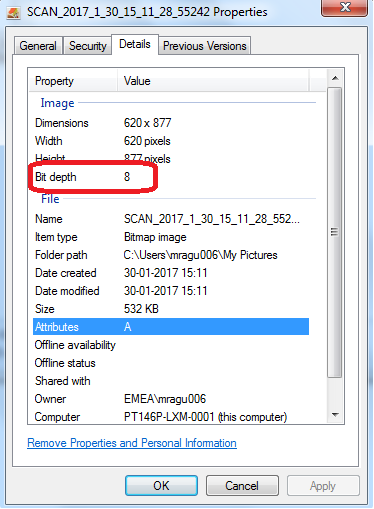 |  |
Original file properties
| Revised output
|
Solution:
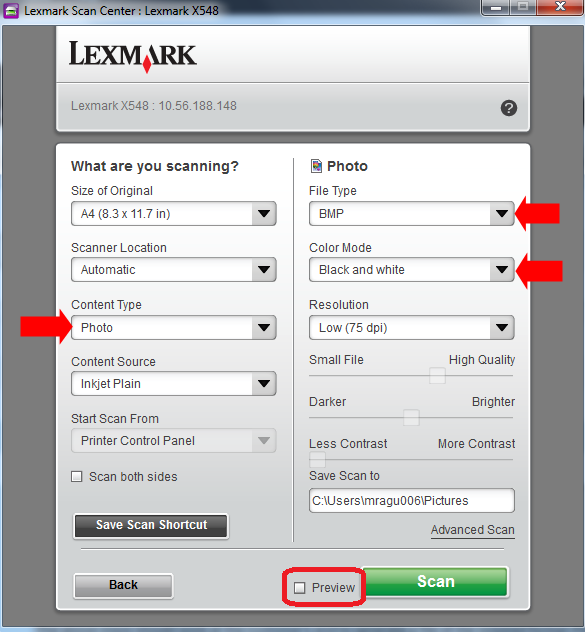
- OpenScan Centerapp.
- Select the device from which you want to scan.
- Select the preset (Content Type) as 'Photo'.
- Select the File Type asBMPand Color Mode asBlack and white.
- Uncheck thepreviewbox.
- ClickScan.
Still Need Help?
Have the following available when calling Lexmark Technical Support;
- Printer model(s)
- Printer serial number
- Name and version of the solution
LEGACY ID:
SO8290