295.01 and 284.15 paper jam when using the ADF
Here are steps to troubleshoot 295.01 and 284.15 paper jam issue when using the ADF on a Lexmark CS92x or CX92x.
Issue description
When you copy / scan a document through the Automatic Document Feeder (
ADF
), the paper is picked, but then it stops midway. It then registers a 295.01
or a 284.15
paper jam error code.Solution
Lexmark determined that the cause of this issue is due to a contaminated ADF sensor. To resolve this issue,
clean the ADF sensor
and make sure that it is clear from any particles or residues
.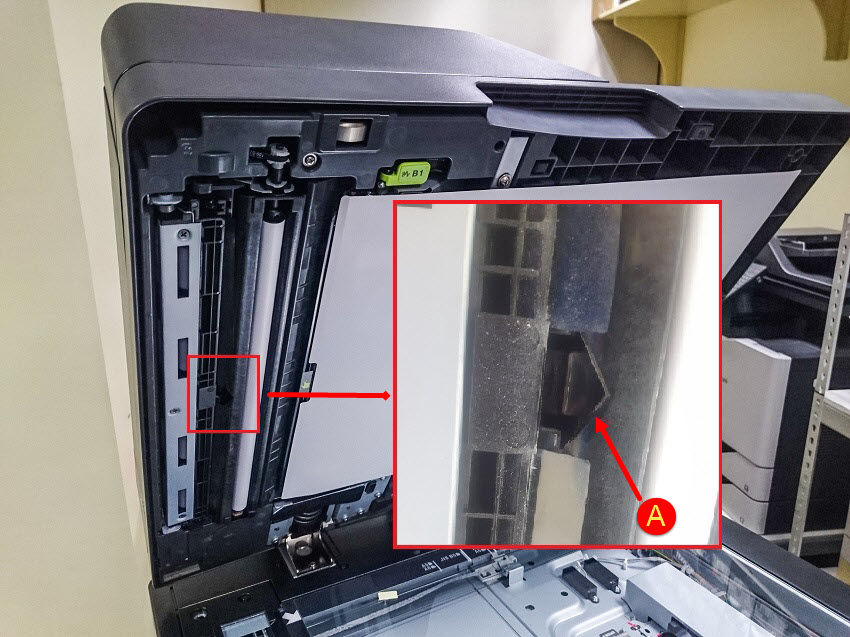 |
(A)
Automatic Document Feeder (ADF) Sensor
|
You can use a cotton swab in cleaning the ADF Sensor.
LEGACY ID:
SO8400