Users are logged-out of the Mobile Cloud Fleet Management (CFM) when using iOS
Issue Description:
After an end-user is logged-in to the Cloud Fleet Management (
CFM
) Portal for 10 minutes on an iOS mobile device, they are automatically logged out
or the active CFM tab may appear to hang or freeze
.
Solution:
There are three solutions to resolve this issue.
- Add the Fleet Management app to iOS home screen ()Preferred solution
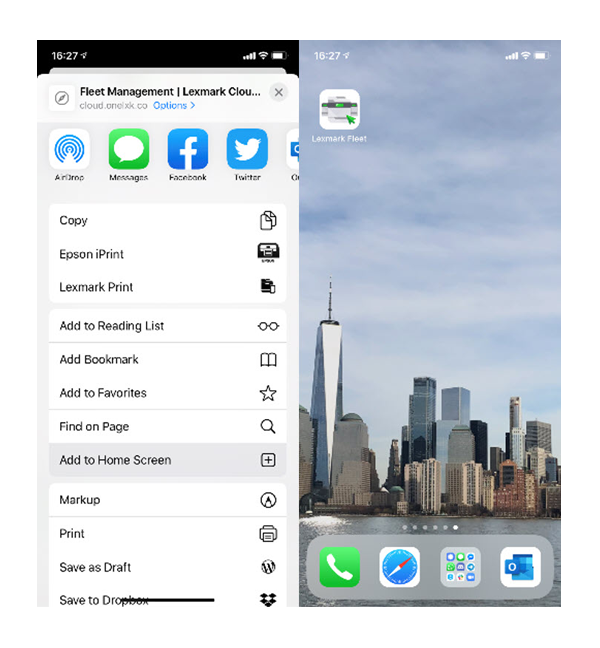
- Log into Lexmark Cloud Service (LCS) dashboard and go to Fleet Management.
- Use the share button to add it to the home screen.
- Launch CFM from this home screen icon to avoid the logout issue.
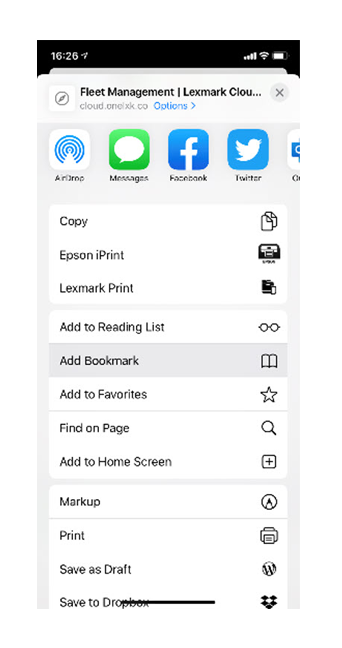
- Bookmark Mobile CFM and use the bookmark instead of going to the Lexmark Cloud Service dashboard.
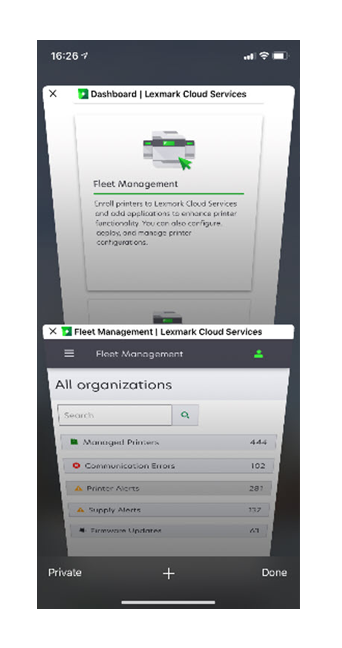
- Close all other Lexmark Cloud Service tabs after clicking the Fleet Management icon.
Still Need Help?
Have the following available when calling Lexmark Technical Support;
- Printer model(s)
- Printer serial number
- Software / Solution
- Firmware Version
LEGACY ID:
SO8961