Security warning appears when opening the Printer Enrollment Tool (PET) on macOS Catalina
Issue Description:
When the Printer Enrollment Tool (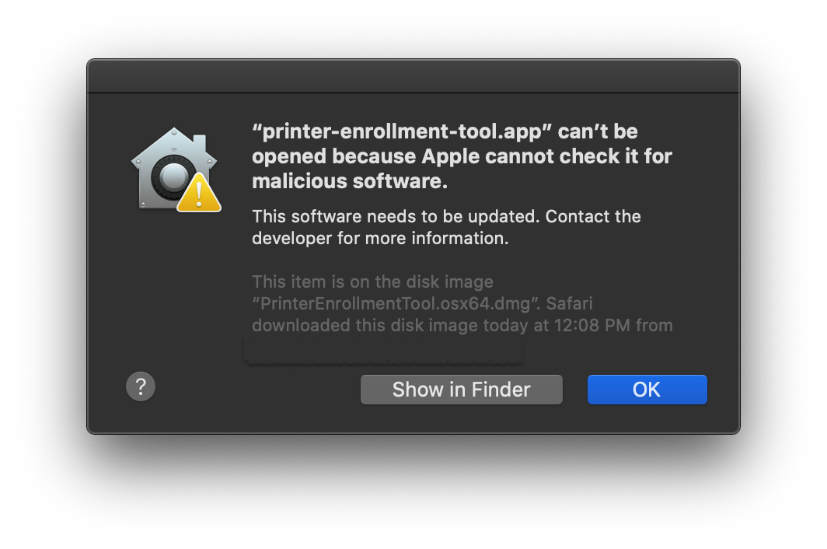
PET
) is initially opened on devices running macOS Catalina, a security warning will be shown indicating that Apple cannot verify the PET application.
Solution:
This error message appears because the
PET application is not notarized
. To resolve this issue, follow either of the two solutions below:
Solution 1
(Recommended)
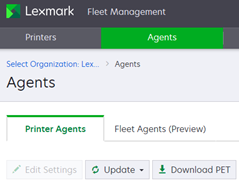
Download a new version of the PET application for macOS from the Cloud Fleet Management portal.
Solution 2
The user must manually override the macOS warning to allow the PET application to run.
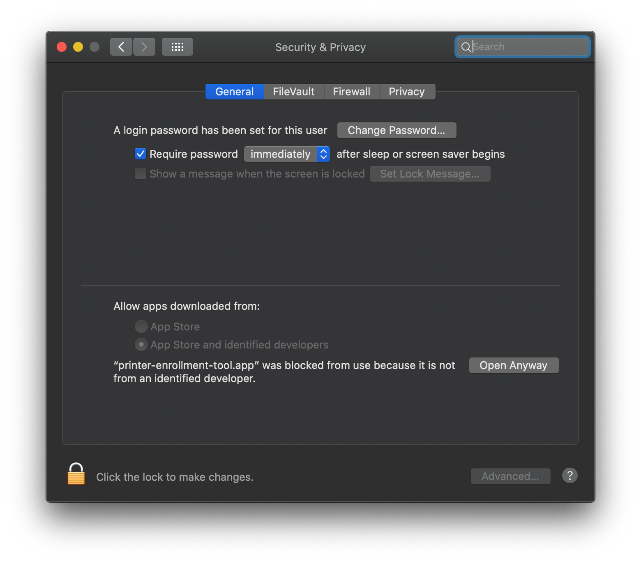
- Go to “System Preferences”.
- Select “Security & Privacy”
- Click “Open Anyway”.
- The warning dialog will be shown again with an “open” button enabled.
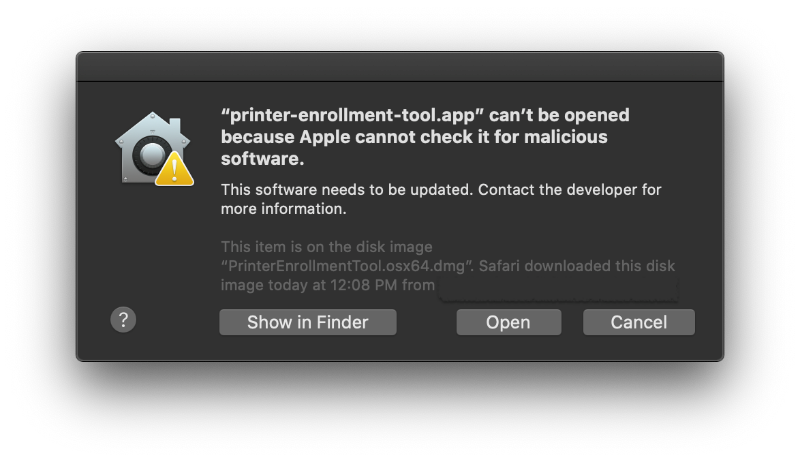
- Click “Open” and the PET application will launch.
The PET is now saved as a security settings exception, and it can be opened in the future by double-clicking it, just as any authorized app.
Additional Information:
Apple changed the notarization process. The current version of the PET is notarized.
Still Need Help?
Have the following available when calling Lexmark Technical Support;
- Printer model(s)
- Printer serial number
- Name and version of the soluiton
LEGACY ID:
SO8962