How to identify your version of print release
How to Identify Your Version of Print Release
Improve your search results
- See below to identify yourPrint Releaseversion.
- Close this article to return to the Print Release product page.
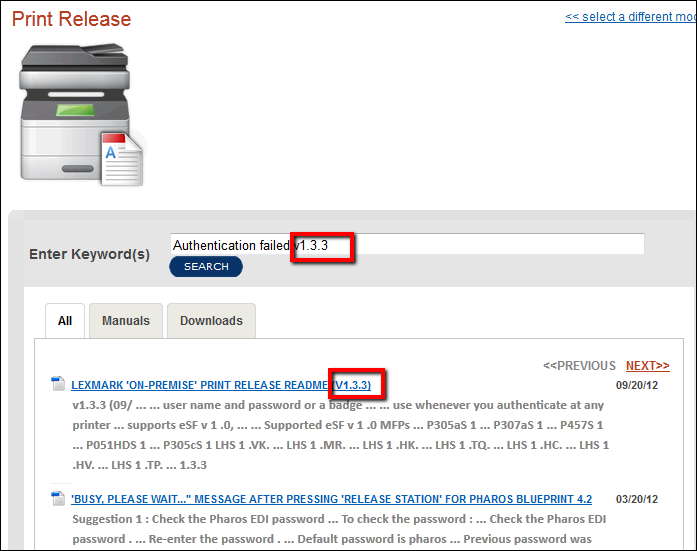
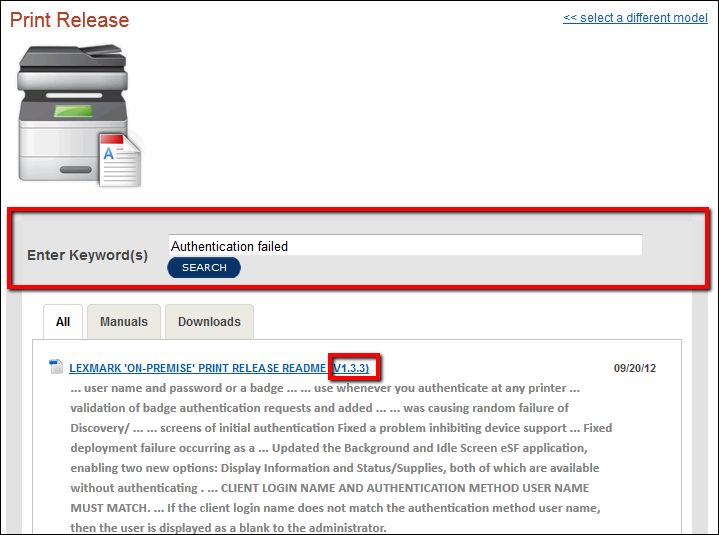
- Enter your search Keyword terms or phrase, butinclude the versionin your search entry.
Outcome of
including
, or not including Print Release version
information when performing Knowledgebase searches.Searches with... | Search example | Result | Benefit |
Your version included in the search dialog, | Authentication failed v1.3.3 | You will receive all content that relates to your version of Print Release | Your version's results will be listed first.. |
Your version not included in the search dialog | Authentication failed | You will receive all content relating to all versions of print release. | None . You will have have to navigate through all returned results to find your topic, but you can still use the version information to help identify the correct article. |
Quick Reference
LSP Premise (Local server print queue) | v1.3.x |
Lexmark Legacy Print Release Remember that this version utilizes both LDD and the use of Lexmark Management Console. |
|
Ringdale | Ringdale we support v5.x and 6.x FollowMe Qserver and FollowMe Embedded v1xxx.x |
Pharos | v4.x and 5.x of Blueprint. |
Lexmark eDAS for User Level Tracking - Blueprint Enterprise | v1.2.2, 1.2.8, 2.6.9, and 3.0.6 |
Identifying Your Print Release Version
Print Release | How to find version |
Premise - local server based Print Release |
|
Lexmark Legacy Print Release (SD&I Print Release) | Pint Release Version :
LDD version :
|
Ringdale - FollowMeVersion of FollowMe_Embedded_Lexmark eSF. |
|
Pharos - Blueprint EnterpriseLexmark eDAS for User Level Tracking - Blueprint Enterprise |
eDAS version:
|
Recommended
Not Recommended
LEGACY ID:
HO3860
Audience: LEXMARK PARTNER Partners Only