Unable to fully open the front door and cartridge tray gets stuck when tray is extended
Lexmark CX/CSx31, MC/C3xxx and XC/C2326: Unable to Fully Open the Front Door and Cartridge Tray Gets Stuck when Tray Is Extended
Issue Description:
When replacing the toner cartridge, the cartridge tray gets stuck and the door will not completely drop down if the paper tray is set to a media size longer than Letter/A4.
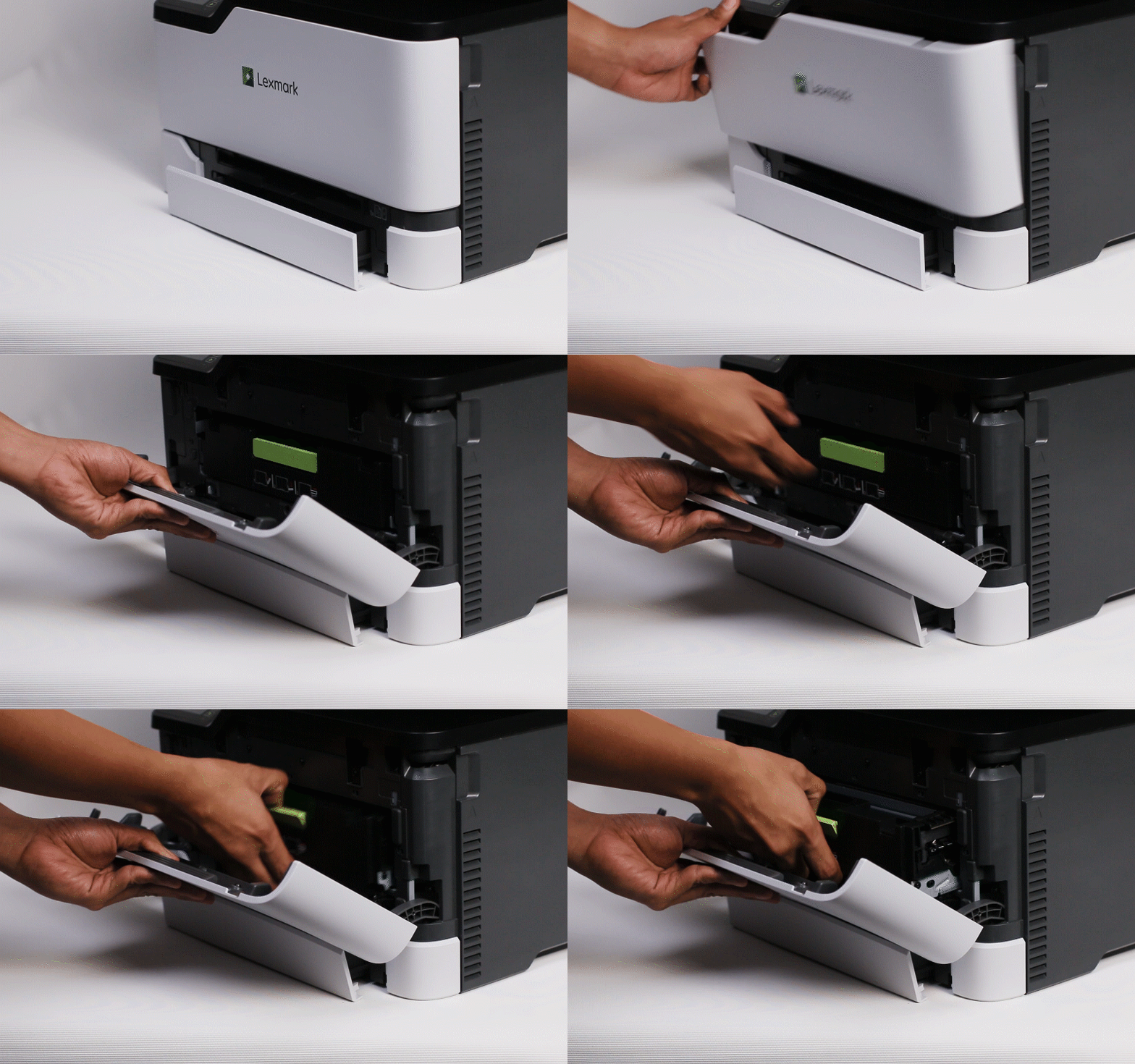
Solution:
- Apply downward pressure to the front door while simultaneously lifting the cartridge tray.
- Push the cartridge tray back into the printer until it frees itself.
- Lift the front door carefully.
- Remove the tray before completely lowering the front door.
Note:
When replacing toner cartridges, always remember to remove the paper tray if the tray guides are set to any media longer than Letter/A4 before opening the front door. LEGACY ID:
SO8825