Lexmark: MS/MX72x, MS/MX82x, B/MB2xxx and XMxxxx: White Voids Appear on the Page After Printing
Affected Products:
Single-Function: MS725, MS821, MS822, MS823, MS825, MS826, B2865, M5255, M5270
Multifunction: MX721, MX722, MX725, MX822, MX826, MB2770, XM5365, XM5370 XM7355, XM7370
Issue Description:
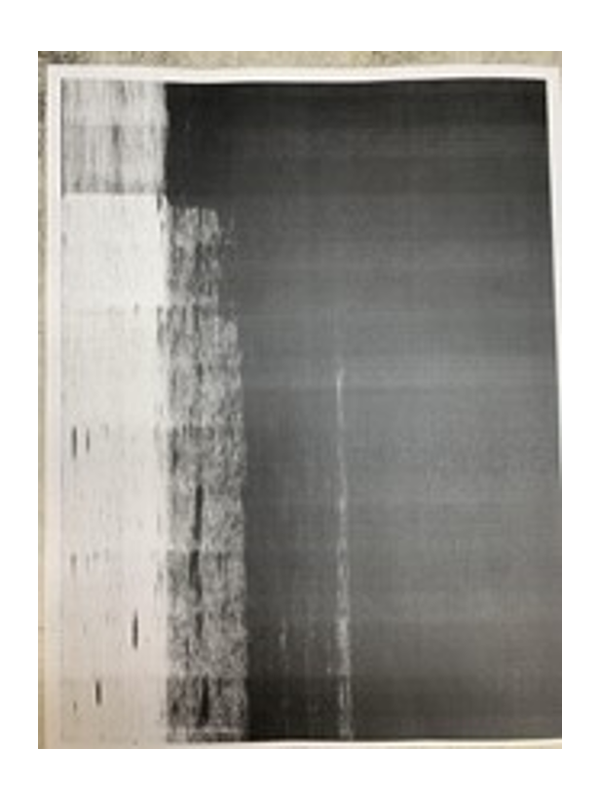
Printing a document causes some
white voids
to appear on the page.Print Quality Sample
Solution:
If this print quality issue appears on the printer page, make sure to contact
Lexmark Technical Support
for further diagnosis.
Note:
Please refer to the Still need Help?
Still Need Help?
Have the following available when calling Lexmark Technical Support;
- Printer model(s)
- Printer serial number
- Toner/imaging unit/waste toner bottle part number and serial number
LEGACY ID:
SO8940
