No power issue on the control panel with the LED indicators and power button are off
No Power Issue - Control Panel, LED Indicators and Power Button Are Off on the Lexmark MX/MS72x_82x, XM5xxx and XM7xxx
Issue description
Upon initial boot up of the Lexmark printer, the end user has noticed that the device is not making any noise and is not powering
On
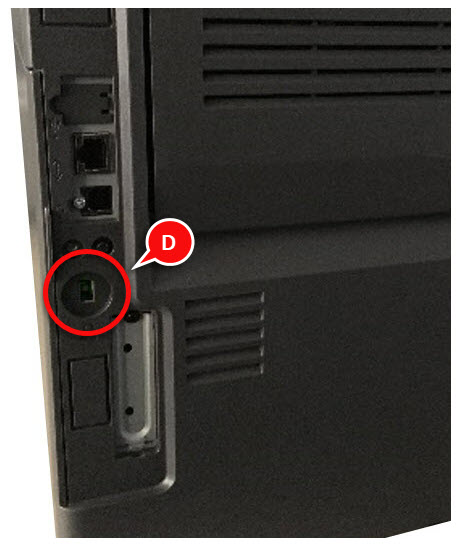
.It has also been noticed that the Control Panel, the power button, indicator light and controller board LEDs are all
Off
.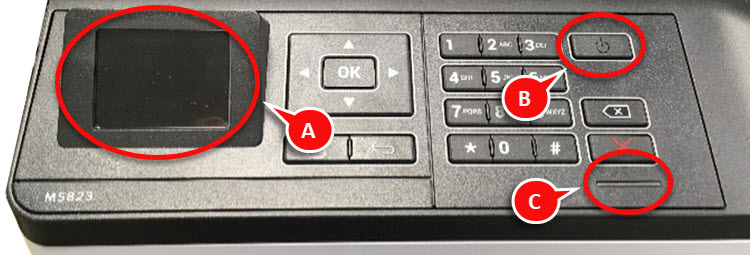 |  |
(A) Control Panel = Off
(B) Power Button LED = Off
(C) LED Indicator = Off | (D) Controller Board LED = Off |
Solution
To resolve this issue, follow the recommendations provided below:
- Perform a Power-On Reset(POR)by pressing and releasing the Power Button and verify if the Lexmark device powersOn.
- If there is still no activity from the printer, check the power cord if it is properly connected to the power source.
- Perform anotherPORby pressing and releasing the Power Button and check if the issue persists.
LEGACY ID:
TE916