Printing with Cloud Print Management
Learn how to print with Cloud Print Management.
You can submit print jobs using the following ways:
- From your workstation
- From your print queue in the Print Management portal
- From your mobile device
Printing from your workstation
From your workstation, you can submit print jobs by doing one of the following:
- From a desktop application, selectFile>Print, and then select a Print Management queue.
- From the Google Chrome operating system or browser, selectFile>Print, and then select a Print Management queue.To print from the Chrome operating system or browser, you must install the Lexmark Cloud Print Management for Chrome extension. For more information, see "Sending print jobs from the Chrome OS operating system" inLexmark Cloud Services Administrator's Guide.
- Using emailYour organization must be configured to accept print jobs using email. For more information, see "Sending print jobs using e-mail" topic inLexmark Cloud Services Administrator's Guide.
Submitting a print job in the Print Management portal
- From the Print Management portal, clickPrint Queue>Upload File.
- Drag and drop files in the Upload File window or clickChoose Filesto browse to the file you want to print.
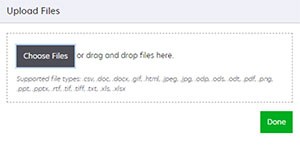
- ClickDone.
Submitting a print job from your mobile device
- Print jobs can be submitted from devices running the iOS operating system software or the Android platform. For more information, see "Mobile printing" group inLexmark Cloud Services Administrator's Guide.