Obtaining a secure login code
Learn how to obtain a secure login code.
You can obtain a secure login code in the following ways:
- From the My Account page in the Lexmark Cloud Services portal
- From the Lexmark Print application on a mobile device.
- From the web address:https://us.iss.lexmark.com/devicefor North America, andhttps://eu.iss.lexmark.com/devicefor Europe.User’s Data CenterValue for<env>EuropeaneuNorth Americanus
From the My Account page
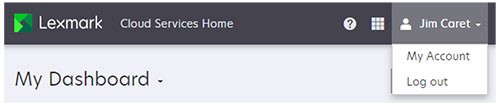
- From the Lexmark Cloud Services portal, click your account name, and then clickMy Account.
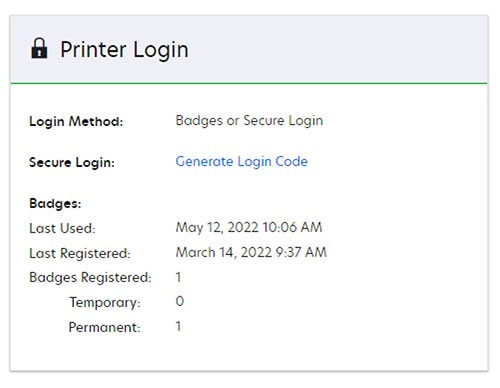
- In the Printer Login section, clickGenerate Login Code.
- Use the secure login code shown to login to a cloud‑enabled printer.
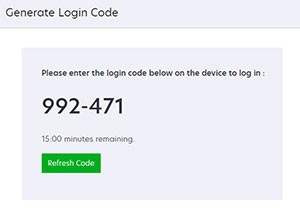
A secure login code is only valid for 15 minutes. After 15 minutes, you can obtain a new code by clicking
Refresh Code
.From the Lexmark Print application
- Open the Lexmark Print application on a mobile device.
- Log in to the Lexmark Cloud Services portal.
- Touch theCloudicon at the bottom of the screen.
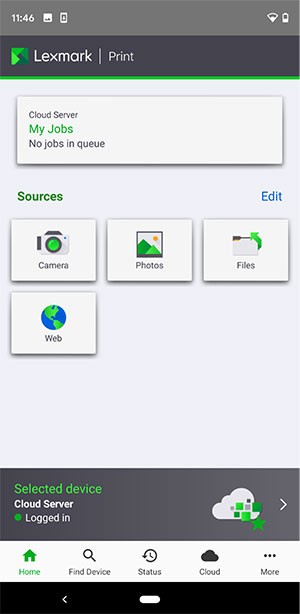
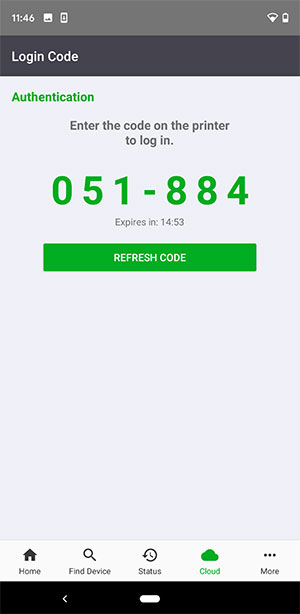
- A secure login code will be shown.
- A secure login code is only valid for 15 minutes. After 15 minutes, you can obtain a new code by clickingRefresh Code.
From the web address
- Open a web browser.
- Go to:https://.<env>.iss.lexmark.com/deviceUser’s Data CenterValue for<env>EuropeaneuNorth AmericanusTo determine the value of, see the address on the browser address field when you log in to your Lexmark Cloud Services portal.<env>
- Use the secure login code shown to login to a cloud‑enabled printer.
A secure login code is only valid for 15 minutes. After 15 minutes, you can obtain a new code by clicking
Refresh Code
.