Modifying user information
Learn how to modify user information.
If Identity Federation is used, then user information is retrieved from your authentication provider through claims. Any changes made to this data in Lexmark Cloud Services are overwritten when the user logs in for the next time.
If Identity Federation is not used, or if claims from your authentication provider do not work, then modify user information by doing one of the following:
Manually modify user information in the Account Management portal
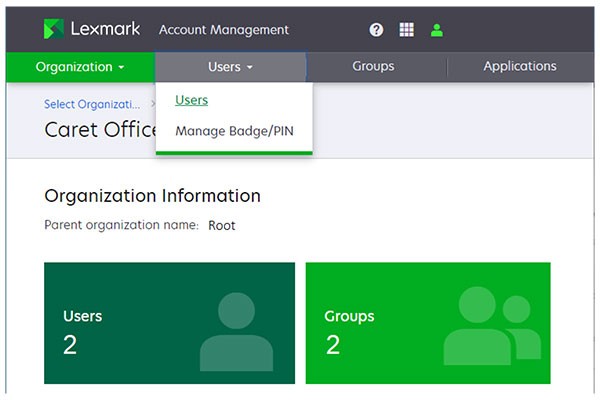
- From the Account Management portal, select theUserscard or clickUsers>Users.
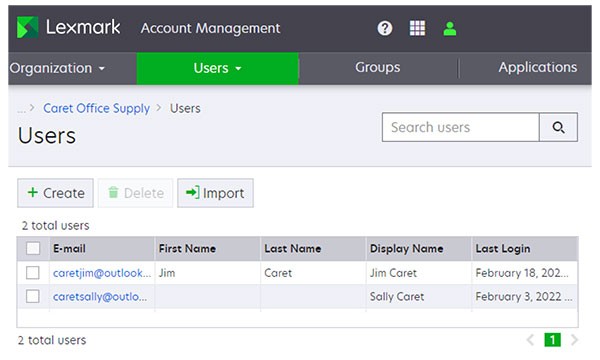
- In the E‑mail column, click the user email.
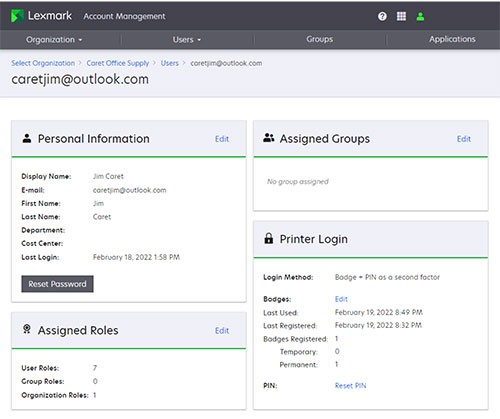
- In the Personal Information section, clickEdit.
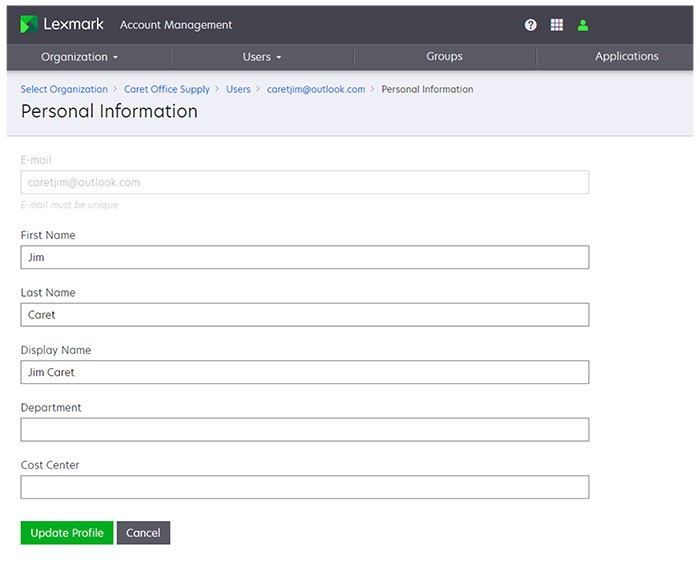
- In the Personal Information page, enter the information, and then clickUpdate Profile.
Import changes to user information using a CSV file
Use this method if you want to modify multiple user accounts simultaneously. The Import feature lets you create, update, and delete multiple users in an organization using a CSV or TXT file. You can also create user groups, and then assign a user to those groups. For more information, see "Managing users" topic in
Lexmark Cloud Services Administrator's Guide
. When importing, note the following:
- Use theUPDATEcommand to modify the information of an existing user account.
- The headers of the import file are case‑sensitive.
- Count the commas. All columns must be accounted for each line of the CSV file.
- The size of the CSV file must not exceed 1MB.