Support article for Lexmark MS911
Serial Number, Machine Type, and Configuration ID Location for the Lexmark MS, MX, XM, CS, CX, XC, 91X - 92x Series Printers and MFPs
Overview
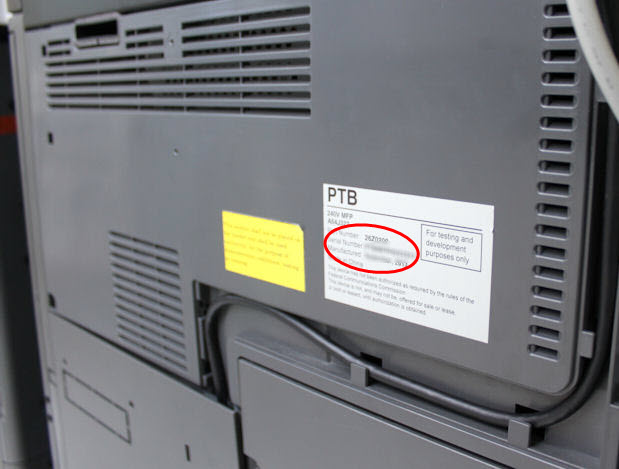
When contacting Lexmark Technical Support or arranging warranty service, you will need to know your printer's machine (model) type and serial number. This article explains how to find information such as the serial number, top-level indicator (TLI), machine type, and configuration ID on the printer.
Locating the label
| Action | Image |
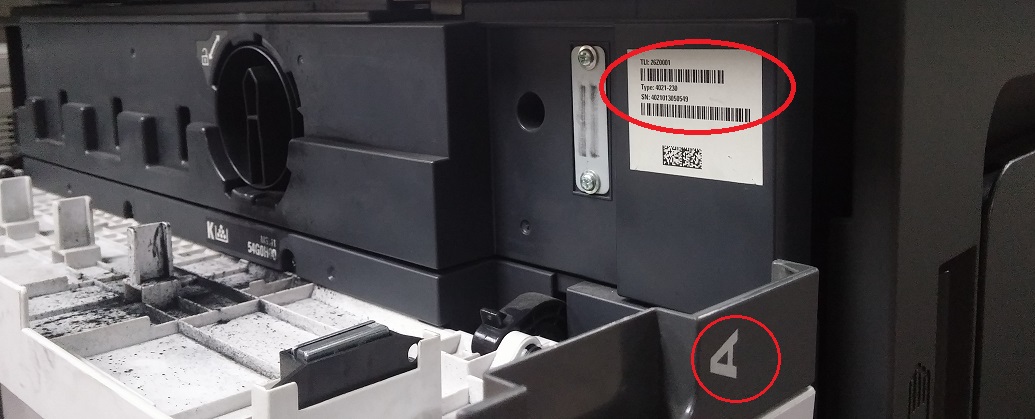
In locating the printer's serial number, open Door A and locate the toner cartridge as a point of reference. Then just to the right side of the toner cartridge, you will find the Serial Number sticker. See the location highlighted on the right-hand image.
|  |
Contacting Lexmark
If you require additional assistance, please close this window and locate

Please be near the products described in this article to expedite the support process and reduce callbacks.
LEGACY ID: HO3937
Rate this article
We appreciate your feedback. We use it to identify content which needs to be updated for accuracy or usefulness.
Thank you for your feedback!